July Thin Client RFPs and Contracts we’ve seen and looked at:
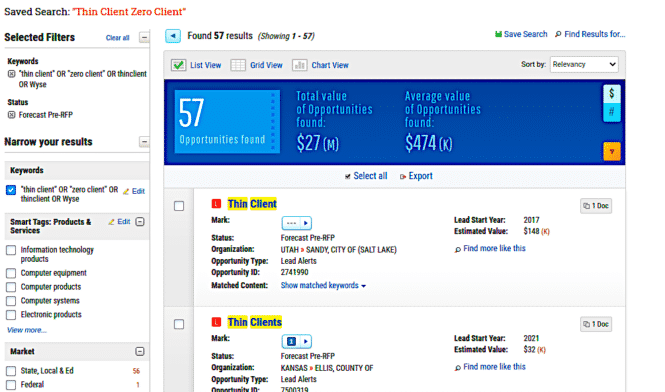
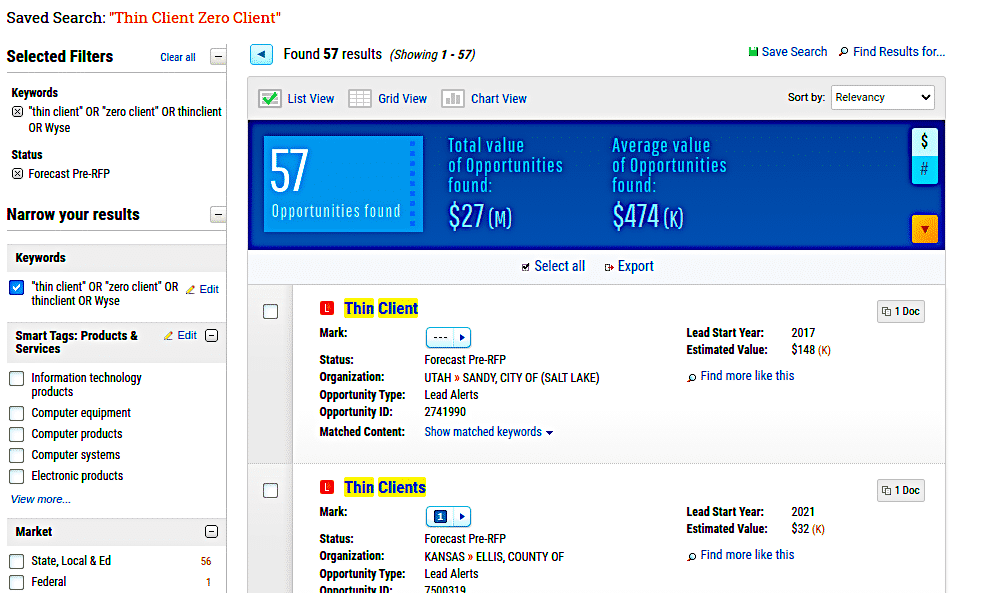
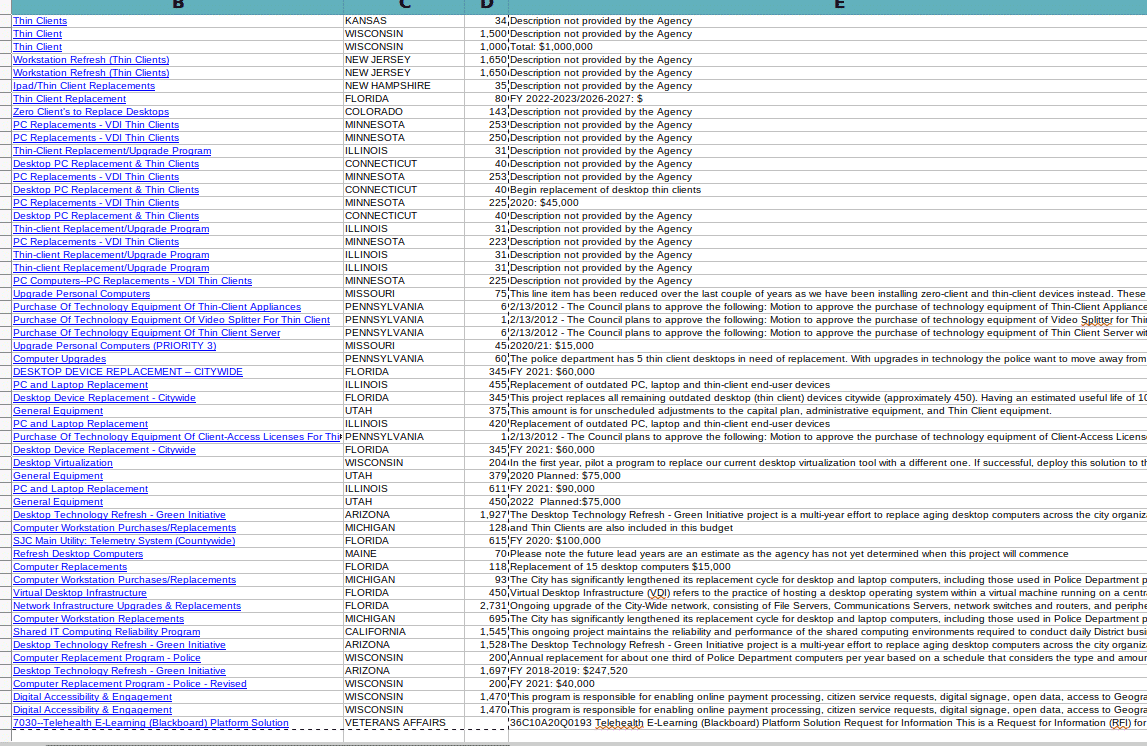
Here is overall status today for pre RFP. 57 opps for 27M
Click for full size
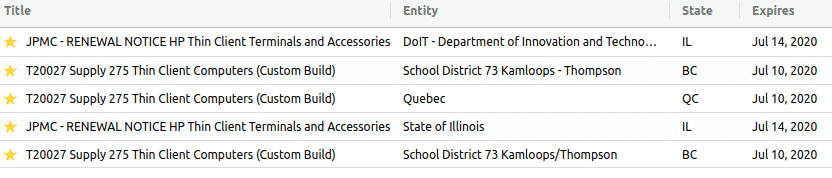
From one service –
Here is is another. This is Forecast Pre-RFP. There are 57 opps worth 27M
Here is a look at Active Contracts:
458 found
total spending 1B
Average spending 7M
If we filter than down to those contracts expiring in the next 12 months:
87 contracts
104M
Average 13M
MTA in NY is big one for Wyse
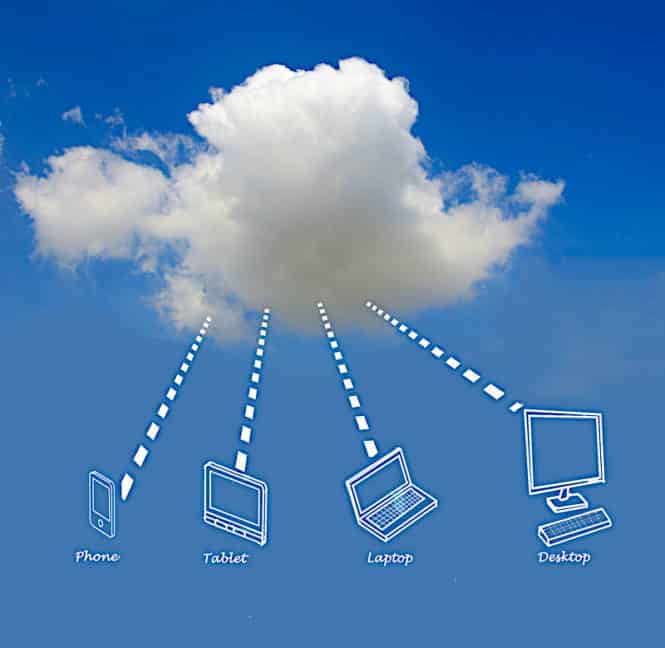
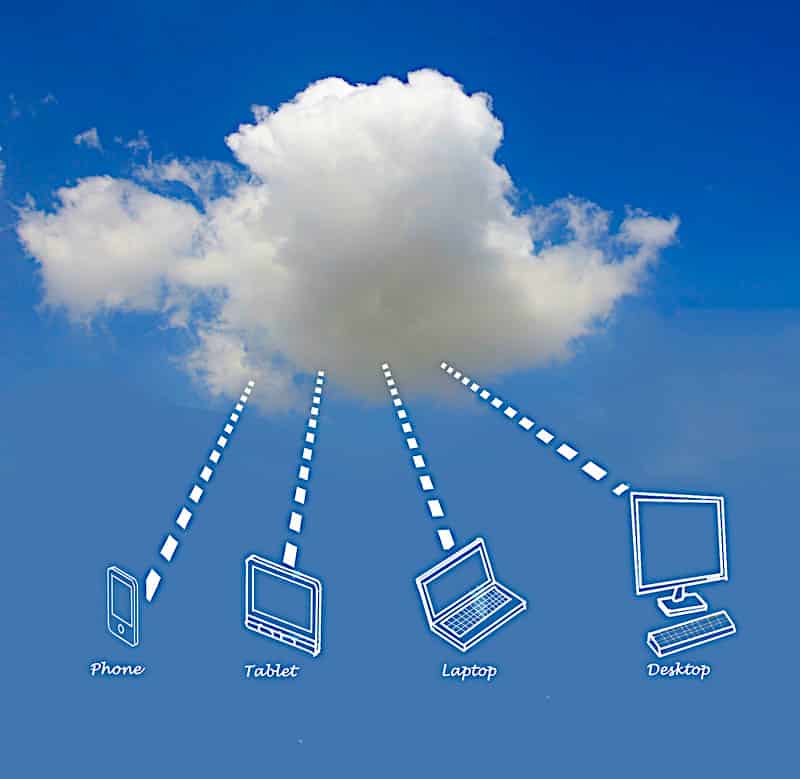
Since 1999, Thinclient.org has been reporting the thin client computing market as well as the ChromeBook, Zero Client, Android clients, Pi Raspberry Clients and Thick Client market. Generally the cloud computing market since it started with companies such as Citrix back in the late 80s.
A thin client is a lightweight[vague]computer that has been optimized for establishing a remote connection with a server-based computing environment. The server does most of the work, which can include launching software programs, performing calculations, and storing data. This contrasts with a fat client or a conventional personal computer; the former is also intended for working in a client–server model but has significant local processing power, while the latter aims to perform its function mostly locally.
Thin client hardware generally supports a keyboard, mouse, monitor, jacks for sound peripherals, and open ports for USB devices (e.g., printer, flash drive, webcam). Some thin clients include legacy serial or parallel ports to support older devices such as receipt printers, scales or time clocks. Thin client software typically consists of a graphical user interface (GUI), cloud access agents (e.g., RDP, ICA, PCoIP), a local web browser, terminal emulators (in some cases), and a basic set of local utilities.
New hardware interfaces includes socket-based enabled devices eliminating the need for a physical USB connection. Bluetooth wireless connectivity is also a big factor for devices.
From the Verge July 2020 — Microsoft and Citrix have been working together closely for decades, but that partnership is going a step further today. Microsoft is partnering with Citrix to use the company’s Citrix Workspace portal as its “preferred digital workspace solution,” and Citrix is using Microsoft Azure as its preferred cloud platform.
Microsoft and Citrix have been working together closely for decades, but that partnership is going a step further today. Microsoft is partnering with Citrix to use the company’s Citrix Workspace portal as its “preferred digital workspace solution,” and Citrix is using Microsoft Azure as its preferred cloud platform. It’s a deal designed to speed up Citrix customers to move to the cloud and virtual desktops.
Microsoft has been investing heavily in Windows Virtual Desktops recently, ever since the pandemic forced many businesses to shift to working from home. Windows Virtual Desktop usage has grown more than three times in recent months, and Microsoft CEO Satya Nadella has prioritized work on both Microsoft Teams and Windows Virtual Desktops recently. Microsoft is even working on improving Windows app development for running apps in the cloud.
The multi-year agreement builds upon and expands one of the industry’s longest strategic partnerships. Under the terms of the deal, Microsoft will select Citrix® Workspace as a preferred digital workspace solution, and Citrix will select Microsoft Azure as a preferred cloud platform, moving existing on-premises Citrix customers to Microsoft Azure to enable people to work anywhere across devices.
Citrix and Microsoft will provide joint tools and services to simplify and speed the transition of on-premises Citrix customers to Microsoft Azure. The companies will also devise a connected roadmap to enable a consistent and optimal flexible work experience that will include joint offerings comprised of Citrix Workspace, Citrix SD-WAN, Microsoft Azure and Microsoft 365 sold through their direct sales forces via the Azure Marketplace and a robust community of channel partners. Microsoft will lead sales with Citrix Cloud to move existing on-premises Citrix customers to Azure.
Both Citrix and Microsoft will maintain their long-standing policies of supporting choice for those customers who request alternatives to meet their business requirements.
Since 1999, Thinclient.org has been reporting the thin client computing market as well as the ChromeBook, Zero Client, Android clients, Pi Raspberry Clients and Thick Client market. Generally the cloud computing market since it started with companies such as Citrix back in the late 80s.
A thin client is a lightweight[vague]computer that has been optimized for establishing a remote connection with a server-based computing environment. The server does most of the work, which can include launching software programs, performing calculations, and storing data. This contrasts with a fat client or a conventional personal computer; the former is also intended for working in a client–server model but has significant local processing power, while the latter aims to perform its function mostly locally.
Thin client hardware generally supports a keyboard, mouse, monitor, jacks for sound peripherals, and open ports for USB devices (e.g., printer, flash drive, webcam). Some thin clients include legacy serial or parallel ports to support older devices such as receipt printers, scales or time clocks. Thin client software typically consists of a graphical user interface (GUI), cloud access agents (e.g., RDP, ICA, PCoIP), a local web browser, terminal emulators (in some cases), and a basic set of local utilities.
New hardware interfaces includes socket-based enabled devices eliminating the need for a physical USB connection. Bluetooth wireless connectivity is also a big factor for devices.
News article on ZDNet this week got the rumor mill going on Microsoft finally launching a Windows Desktop As a Service via Azure. The writer found a job description on Microsoft website which details the role.
Microsoft’s vision of Cloud PC is that it is the only M365 powered user compute experience delivered from azure and managed by Microsoft – at a flat per user price. Microsoft Cloud PC is a strategic, new offering that is built on top of Windows Virtual Desktop to delivering Desktop as a Service. At its core, Cloud PC provides business customers a modern, elastic, cloud-based Windows experience and will allow organizations to stay current in a more simplistic and scalable manner. It has never been a more exciting time for us to start this initiative!
We’re not convinced. We can see parallel to Chromebook with a new “EdgeBook” client. We would think there are more web-enabled backends to use and connect with than there are the historical Windows interface. Applications really only need a browser and internet to be an application. What do we need Windows for?
Excerpt from ZDnet
For years, many of us Microsoft watchers have expected Microsoft to create a true virtualized Windows PC experience. Well, it’s happening, likely as soon as spring 2021.
Microsoft is currently calling the coming virtualization service “Cloud PC.” Cloud PC won’t replace locally installed Windows (and Office) — for the foreseeable future, anyway. It will be an option for customers who want to use their own Windows PCs made by Microsoft and/or other PC makers basically like thin clients, with Windows, Office and potentially other software delivered virtually by Microsoft.
I found a job description posted June 5 for a program manager for Microsoft’s Cloud PC team on the company’s careers site. The description of Cloud PC isn’t super-detailed — or surprising to anyone following Microsoft’s virtualization strategy.
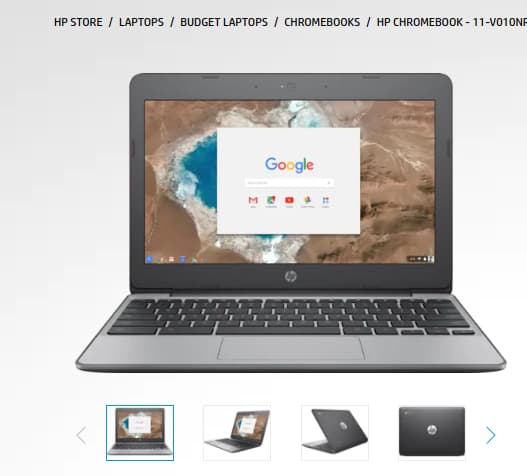
The Chromebooks listed in the Wired article are on the spendy side. Not sure why “Budget” is included in title. Maybe that is more catchy and more political than “cheap”. The budget Chromebook here is the Dell for $400. You can go on the Dell site and get 11″ Education model for $249. HP starts even “less expensive” with $199 and the 11″ Chromebook. If you can go thru a reseller like Synnex, then a nice HP G7 is $250. Recertified gets you around $150. I think I paid $175 for my HP.
It’s a good play for advertising dollars listing out the big boys for sure. Samsung, Acer, Google, Lenovo example given. Price ranges up to $800.
Definitely NOT on my budget…
Excerpt:
If you spend all day in a web browser, use Google apps, and don’t need all the rest of the stuff that comes with Apple’s MacOS or Microsoft Windows, Google’s ChromeOS offers a sleek, all-you-need, nothing-you-don’t computing experience. Throw in the ability to run both Android and Linux apps and you just might be able to replace your old laptop with a Chromebook.
Chromebooks have a reputation as cheap, low-end devices. And, while they can be that—offering an exceptional bargain in many cases—that’s not the end of the story. Just because you strip away the software fluff doesn’t mean you have to strip away the hardware power as well. There are high-end Chromebooks that are very powerful, capable machines. In many ways, they’re the best of all worlds, with good hardware, lightweight software, and everything you need for web-based work.
Members of WIRED’s Gear team have tested Chromebooks for almost a decade now. For this guide, I pulled in and tested more than a dozen of the laptops over the past six or so months. If you’re looking for a Chromebook, these are our picks.
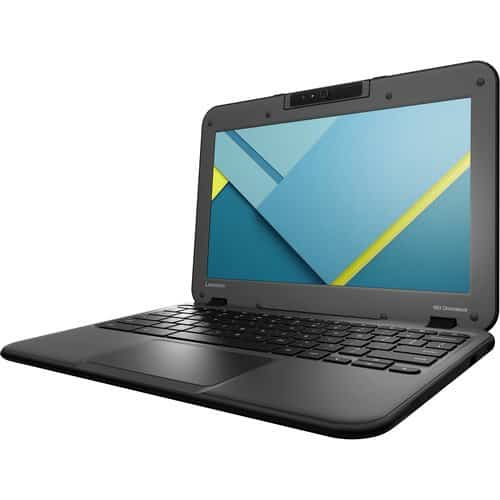
Wilson County Public Schools — Lenovo 300e Touchscreen Chromebook qty 1637
● Display: 11” ● Memory: 4 GB ● Storage: 32GB
Four Year Warranty 1637
● No deductible
● Free shipping both ways when there is
● an incident Hardware fail
● Accidental Damage Protection (ADP)
● Theft/loss
● Spare parts on site, if desired
● 3-year battery warranty (1 replacement)
● No limit on ADP Claims
● Advance Exchange Google Management License 1637 Chromebook Charging Cart Up to 75
● Holds approximately 30 Chromebooks
● Comes fully assembled
● Includes cable management Prefer delivery no later than August 13, 2020
SIDNEY PUBLIC SHOOLS
NOTICE TO CALL FOR BIDS – CHROMEBOOKS
NOTICE IS HEREBY GIVEN that the Board of Trustees of School Districts 5 and 1, Richland County, will receive sealed bids at the Sidney Public Schools Administration Office 101 South Central, Sidney, Montana until 11:30 AM, Friday, August 7, 2020, for the purpose of purchasing: 650- HP 14” Touchscreen Chromebooks
SPECIFICATIONS (650- HP 14” Touchscreen Chromebooks):
14” Touchscreen new Chromebooks ONLY (NO REFURBISHED UNITS)
Ram: 4 GB
Storage: Minimum of 32 GB
Ports: One (1) HDMI Video Output; Minimum of Two (2) USB 3.0 Ports; Type C-Charging Port
OPTIONAL:
Cost of carrying bags/sleeves for individual 14” Touchscreen Chromebooks
Sealed bids will be publicly opened and read at 12:00 Noon on Friday, August 7, 2020 at the Administration Office 101 South Central, at which time all bids will be referred to the IT Department for a recommendation for consideration of bid award at a regular meeting of the Board of Trustees to be held at 7:00 PM, Monday, August 10, 2020 at the Administration Office.
Bids must include F.O.B. to Sidney Public Schools and be submitted in a SEALED ENVELOPE marked:
ComputersComputer displaysPrinter and photocopier and facsimile accessoriesElectrical cable and accessoriesComputer display accessories
DESCRIPTION
Please quote quantities and models that are available for immediate shipment.
Please do not quote items with a lead time, or expected lead time.
QTY: 2500 – or more if avaialable
Description: HP Chromebook 11A G8 Education Edition TOUCHSCREEN – Chromebook Only
4GB Ram, 32GB Memory OR 8GB Ram, 32GB Memory
LCD: LCD: 11.6″ diagonal HD IPS anti-glare WLED-backlit touch screen
QTY: 2,500 – or more if available
Description: HP Chromebook 11A G8 Education Edition – Chromebook Only
4GB Ram, 32GB Memory OR 8GB Ram, 32GB Memory
LCD: 11.6″ WLED 1366 x 768 / HD
The District is open to quotes for an HP G7 or an HP G6 Chromebook if they’re available.
Please provide the unit price in your quote
Please provide shipping cost (if applicable) to 92701
Delivery required within 7-days ARO
NOTE: Quotes and communications outside of this platform will not be answered or accepted. That includes emails and phone calls to anyone in our District regarding this request.
Chromebook touchscreen computers are a popular item when it comes to a thin client or restricted computer client. IT administrators usually hold up a big sign that says Patch Management with Windows is Hell. I know I used too (then we switched to LTSB). There is something to be said for Windows-based thin clients especially since, historically, they have been largest segment. And management was easier.
We see it in digital signage where management features and sheer graphics internet rendering are king priority. Windows has a greater tendency to interrupt.
Touchscreens are a natural. Most of the interfaces are beginning to blend the mobile UI into the desktop, discarding the “historically popular” mouse pointer and the little square icon. Pick up a telephone handset and look at the size of the buttons. Not a bad reference.
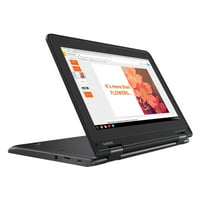
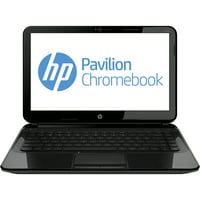
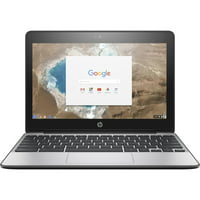
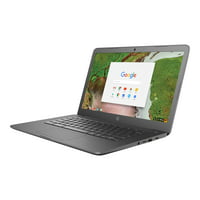
Anyway, we digress. Here is a quick topical look at Chromebook touchscreen computers.
There are huge advantages to using a Chromebook over a laptop or a tablet. In short, a Chromebook fills a niche somewhere between the two. It tops a tablet in terms of power, but it doesn’t sacrifice too much in the way of portability. Now, why not make your setup even more powerful with a flexible touchscreen Chromebook? Here are our picks for the best ones available.
With a price starting at just $279, few Chromebooks or tablets offer as much flexibility out of the box as the Lenovo Chromebook Duet. With its convertible design, the Lenovo Chromebook Duet is one of the best touchscreen Chromebooks for those who prefer to have options.
The best Chromebook you can buy if you’re looking for something on the lower end of the market is the Lenovo Chromebook Duet. It’s perfect for on-the-go, casual users and students who are looking for a petite device that can easily fit into their everyday commuter bag. Its tiny form factor is ideal for travelers who are heavily reliant on Google applications such as Google Chrome and Google Docs. It’s also excellent for folks who simply want a portable device to watch YouTube videos, enjoy some Netflix and browse the web.
The Lenovo Chromebook Duet also comes with a detachable keyboard and kickstand cover — two accessories that will help transform the tablet into a proper little laptop. One downside of the Duet, though, is that if you’re someone with massive hands, you may find that the Duet’s form factor is too small.
Now if you’re not afraid to splurge a little bit more on your Chromebook, and you want a device that can handle multitasking and heavy productivity workloads, I’d argue that the Google Pixelbook Go is one of the best Chromebooks you can buy. It has a super-slim design, a bright, colorful display and solid performance benchmarks. It’s certainly an attractive alternative to Windows, however, keep in mind that the keyboard might be too shallow for your tastes.
Ten or so different Chromebook projects with around 20,000 units in requirements, if not more.
Indiana — Four thousand seven hundred twenty-five (4725) or more student and staff Chromebooks — NOTICE TO BIDDERS Warrick County School Corporation Boonville, Indiana The Warrick County School Corporation (WCSC) is seeking suppliers to provide four thousand seven hundred twenty-five (4725) or more student and staff Chromebooks. The Request for Proposal documentation may be obtained either at the Warrick County School Corporation Administration building located at 300 East Gum Street, Boonville, Indiana, Monday through Friday from 8:00 AM to 4:00 PM or by contacting xxxxxxxxxxxxxxxxx. Proposals will be accepted until 9:30 AM (CST) February 26th, 2021 at which time the sealed bids will be opened. Proposals that are received after this date and time will be returned unopened. The Warrick County School Corporation will not accept proposals that are sent via E-Mail. The bid opening will be a virtual meeting only. Bids will be opened and displayed during the virtual meeting via a document camera. Sealed proposals need to have a label clearly indicating that it is for the Chromebook RFP. The sealed proposals need to have delivery confirmation and will be accepted at the following address. Warrick County School Corporation ATTN: Chromebook RFP 300 East Gum Street PO Box 809 Boonville, Indiana 47601 The Warrick County School Corporation reserves the right to reject any and all proposals and to waive any “informalities” in the proposals received whenever such selection, rejection or waiver is in its best interests. hspaxlp
Arizona – Chromebook Purchase Request for Proposal 20-21-109 — Deadline: 3/12/2021 2:00 PM (UTC-08:00) Pacific Time (US & Canada) — Description: The purchase of approximately 3,000 Chromebooks to support the District 1 to 1 student devise ratio.
California — qty 3000 in Covina, CA — 3/12/2021 response date
New York — The Board of Education of Half Hollow Hills Central School District of Huntington and Babylon hereby invites the submission of BIDs on the following items: BID #20-21: PURCHASE AND DELIVERY OF ACER C733 AND C871 CHROMEBOOKS AND GOOGLE MGT. LICENSE 10 PACK BUNDLES BIDs will be received until 2:00 p.m. on the 26th of February, 2021, at the Business Office, Central Administration Building, 525 Half Hollow Road, Dix Hills, NY 11746; at which time they will be opened and read. Specifications and Forms may be obtained at the same office.
Pennsylvania — SAN, Backup Servers, UPS, and Wireless APs/Licensing, Chromebooks, and laptops — The Baldwin-Whitehall School District is soliciting proposals for SAN, Backup Servers, UPS, and Wireless APs/Licensing, Chromebooks, and laptops.
Louisiana — The bid package title is as follows: Chromebooks w/ Protective Carrying Cases Bid# 32-21 Opening: February 23, 2021 @ 11:00 am CST Bids will be publicly opened and read aloud at the above stated times and dates in a Conference Room of the Lafayette Parish School System Central Office Building. Complete bidding documents may be obtained on the Purchasing Department website at https://www.lpssonline.com/site638.php
Virginia — The Virginia Beach City Public Schools will receive sealed proposals from qualified firms to furnish the goods identified in the specifications document. Scope of Work: Virginia Beach City Public Schools requests proposals from prospective Offerors to provide Chromebook, Desktop and Laptop Parts and Chargers in accordance with specifications and requirements contained herein.
Wisconsin – Qty 525 — SFSD is seeking proposals for the lease of 525 Chromebooks for a four-year lease beginning during the 2021-2022 school year. The specifications for which the District is seeking pricing and manufacturer information are listed herein.
Iowa — 1,300 Academic Chrome OS Management Licenses We are looking to purchase our chromebook licenses before the price increases. We are accepting proposals/quotes on the following items: Quantity Manufacturer Part # Description 1300 Google-CROSSWDISEDU Google Chrome OS Management Console – License – Academic
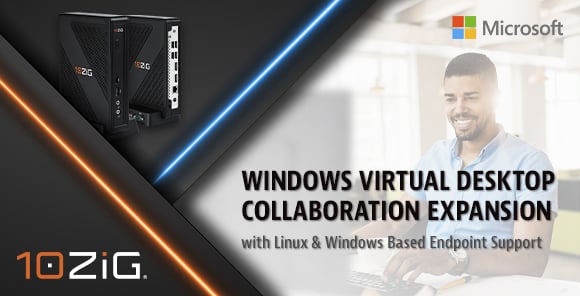
10ZiG® Expands Microsoft Windows Virtual Desktop Deployments with Linux and Windows-Based Endpoint Support
“10ZiG Technology supports Microsoft Windows Virtual Desktop Deployments across its versatile range of Intel and AMD endpoints, featuring both Linux- and Windows-based operating systems.”
LEICESTER, UK – 10ZiG Technology, a leader in Thin & Zero Client endpoint hardware and centralized management software for VDI, recently collaborated with Microsoft to bring a seamless multi-session Windows 10 virtual desktop experience to thin-client endpoints. Now, that experience has been further enhanced with support for Windows Virtual Desktop on 10ZiG leading Linux-based NOS-64 platform, continuing to exemplify that 10ZiG Technology has the Power, Speed, and Performance for VDI and the cloud – in office, or remote.
Based on the Microsoft Windows Virtual Desktop Linux SDK, the 10ZiG NOS-64 Firmware supports desktop and application deliveries, as well as a variety of powerful user customization and security features, applicable for related deployments on 10ZiG endpoint hardware, alongside The 10ZiG Manager™ Enterprise Software for complete and secure centralized management. 10ZiG prides itself on the research, testing, and development of new firmware with respect to meeting and foreseeing market trends and demands, and Microsoft Windows Virtual Desktop is no exception.
A growing list of features that are available for Windows Virtual Desktop leveraging the 10ZiG Remote Desktop Client powered by the Microsoft Windows Virtual Desktop Linux SDK includes desktops, applications, multi-monitor, client drive redirection, smart card redirection, clipboard redirection, and bidirectional audio (mic). 10ZiG also offers Windows 10 IoT-based client endpoints that support Windows Virtual Desktop, which at this stage offer an even greater feature set for Windows Virtual Desktop.
Kevin Greenway, 10ZiG Chief Technology Officer, “The 10ZiG/Microsoft collaboration has been long-standing and our Windows Virtual Desktop integration continues to grow, as evidenced by this new and exciting development. We now have the power to offer our customer’s the greatest flexibility, in either Linux- or Windows-based support for Windows Virtual Desktop across our very diverse range of hardware – there is something for every user and use case. Thin & Zero Client endpoints are our sole focus, so our scope of knowledge and customization is quite deep in terms of hardware, firmware, and centralized software management. This is what gives us our cutting-edge over others and why customers turn to us. We look forward to even further developments with Windows Virtual Desktop.”
About 10ZiG Technology®
10ZiG Technology is a world-market leader in Thin Client & Zero Client endpoint devices for Virtual Desktop Infrastructure. 10ZiG provides leading Intel and AMD-based Dual and Quad Core Thin Clients and Zero Clients for VMware, Citrix, Microsoft, etc., environments, and the widest range of Teradici PCoIP Zero Clients on the market. 10ZiG offers free, no-obligation demo devices, best-in-industry Technical Support teams based in the U.S. and Europe, and provides at no cost, the Cloud-enabled “10ZiG Manager” Console with unlimited user licenses.
###
Contact Us
To learn more about cutting-edge VDI technology from 10ZiG, or to arrange for a FREE Thin or Zero Client demonstration device, please contact 10ZiG below.
Corporate Headquarters, US
10ZiG Technology Inc.
23309 N. 17th Drive #100
Phoenix, AZ 85027, USA
P. +1 (866) 865-5250 | Email: info@10ZiG.com | Web: www.10ZiG.com
Over recent years, 10ZiG Thin & Zero Client Hardware Specialists, have been earning quite a reputation in the VDI space for The 10ZiG Manager™, 10ZiG’s FREE Enterprise Centralized Management Software for endpoints running on a 10ZiG OS in a virtual desktop environment – from x86 devices to laptops, tablets, or old, outdated endpoints, etc.
10ZiG® Technology Develops Cloud Authentication Process as a New Feature for its FREE Enterprise Centralized Management Software Tool, The 10ZiG Manager™.
LEICESTER, UK – Over recent years, 10ZiG Thin & Zero Client Hardware Specialists, have been earning quite a reputation in the VDI space for The 10ZiG Manager™, 10ZiG’s FREE Enterprise Centralized Management Software for endpoints running on a 10ZiG OS in a virtual desktop environment – from x86 devices to laptops, tablets, or old, outdated endpoints, etc. Providing IT Administrators with the choice of managing endpoints via traditional LAN/WAN or the Cloud, The 10ZiG Manager™ is equipped with innovative, cutting-edge features that make deploying and managing large volumes easy, and now even more securely, regardless of location.
The Cloud Connector, an integral part of The 10ZiG Manager™ Software Platform working in tandem with its Server, Console, and Web Manager settings, now features integrated Cloud Agent Authentication. 10ZiG Cloud Agents featured on 10ZiG Linux and Windows based endpoints can now be authenticated via the Cloud Connector using the 10ZiG Cloud Connector Authorization tool. Authorization codes can be issued to a single Client or used by multiple Clients. This provides flexibility on authenticating each individual Client, or group authentication based on for example, issuing to temporary contracted workers.
When the appropriate setting is enabled for the 10ZiG Cloud Connector, only remote Cloud Agents configured with an authorization within the database would be authenticated to connect and register with The 10ZiG Manager™. Unauthorized connections would not be authenticated and would be rejected. The authorization exchange is fully encrypted, as is the primary Cloud Agent to the Cloud Connector after a Client is authorized, ensuring the key exchange is not openly visible. Furthermore, the Cloud Agent Authorization Code can be used in combination with the Cloud Agent Registration Code, the latter which is used to automatically filter Clients into Management Configuration Groups.
Vu Nguyen, 10ZiG Senior Software Engineer, “The primary goal of the Cloud Agent Authorization is to prevent unrecognized or rogue devices from registering themselves with The 10ZiG Manager™. This new authentication feature adds an extra layer of security, in that the connecting Clients can verify as being part of the organization. IT Admins. can try it out for themselves with our Free Demo program at 10ZiG.com.”
##
About 10ZiG Technology
10ZiG Technology is a world-market leader in Thin & Zero Client endpoint devices for Virtual Desktop Environments. We provide leading Intel and AMD based, Dual Core and Quad Core Thin & Zero Clients for VMware, Citrix, Microsoft, Amazon WorkSpaces, and more, in addition to the widest range of Teradici PCoIP Zero Clients on the market. FREE, no-obligation demo devices, US & EMEA based Tech Support, and The 10ZiG Manager™ – our FREE management software solution with Cloud capabilities and unlimited user licenses – gives us our cutting edge.
Contact Us
To learn more about cutting-edge VDI technology from 10ZiG, or to arrange for a FREE Thin or Zero Client demonstration device, please contact 10ZiG below.
Not every day the Los Angeles School District releases an IFB RFP.
For 128,000 Chromebooks at that.
Here are the dates:
DATE ISSUED: JULY 1, 2021
DATE ADVERTISED: JULY 1, 2021 and JULY 8, 2020
LAST DAY FOR QUESTIONS: JULY 9, 2021
SUBMITTAL DATE: JULY 16, 2021
ANTICIPATED CONTRACT START DATE: SEPTEMBER 15, 2021
Here are the technical details
ITEM
NO.
PRODUCT DESCRIPTION
1. CHROMEBOOK NON-TOUCHSCREEN WITHOUT CELLULAR (Minimum specifications)
• Processor shall perform with a score which meets or exceeds all benchmark category scores with procedures set forth in Exhibit P.
• 4GB RAM
• 32GB Solid State Drive (1:1), 64GB Solid State Drive (Shared Use)
• Integrated Front-facing Camera
• Trackpad
• Keyboard
• Student devices shall be rated MIL-STD-810G drop resistant and have pick-resistant keys
• Wireless LAN capability which meets District’s wireless minimum requirements for personal computing systems (see Section II.C.34)
• Ethernet 10/100/1000 (Optional)
• 11.6″ minimum screen size
• 2+ USB port 3.0 or better
• Capable of a minimum of 1366×768 resolution
• Battery capable of 6+ hours use between charges
• USB-C Charging Port
• Google Auto-Update Policy minimum of 5 years from date of order
• ChromeOS
• 1-year included warranty, on-site (no “carry-in” or “depot” procedures)
• 1-year warranty for accidental screen damage priced as an option
• 24-hour repair or replace guarantee priced as an option
2. CHROMEBOOK NON-TOUCHSCREEN WITH CELLULAR (Minimum specifications)
• Processor shall perform with a score which meets or exceeds all benchmark category scores with procedures set forth in Exhibit P.
• 4GB RAM
• 32GB Solid State Drive (1:1), 64GB Solid State Drive (Shared Use)
• Integrated Front-facing Camera
• Trackpad
• Keyboard
• Student devices shall be rated MIL-STD-810G drop resistant and have pick-resistant keys
• Wireless LAN capability which meets District’s wireless minimum requirements for personal computing systems (see Section II.C.34)
• Ethernet 10/100/1000 (Optional)
• 11.6″ minimum screen size
• 2+ USB port 3.0 or better
• Capable of a minimum of 1366×768 resolution
Section II.D –Technical Specifications
47
IFB No. 2000002248•
•
•
•
•
•
•
•
•
Battery capable of 6+ hours use between charges
USB-C Charging Port
Google Auto-Update Policy minimum of 5 years from date of order
ChromeOS
Built-in cellular connectivity – support for all major US carriers (e.g. Verizon, T-Mobile, AT&T, etc.)
Include pre-installed SIM-card, or eSIM of carrier that District specifies at time of ordering
1-year included warranty, on-site no “carry-in” or “depot” procedures)
1-year warranty for accidental screen damage priced as an option
24-hour repair or replace guarantee priced as an option
3. CHROMEBOOK TOUCHSCREEN WITHOUT CELLULAR (Minimum specifications)
• Processor shall perform with a score which meets or exceeds all benchmark category scores with procedures set forth in Exhibit P.
• 4GB RAM
• 32GB Solid State Drive (1:1), 64GB Solid State Drive (Shared Use)
• Integrated Front-facing Camera
• Trackpad
• Keyboard
• Student devices shall be rated MIL-STD-810G drop resistant and have pick-resistant keys
• Wireless LAN capability which meets District’s wireless minimum requirements for personal computing systems (see Section II.C.34)
• Ethernet 10/100/1000 (Optional)
• 11.6″ minimum screen size touchscreen
• 2+ USB port 3.0 or better
• Capable of a minimum of 1366×768 resolution
• Battery capable of 6+ hours use between charges
• USB-C Charging Port
• Google Auto-Update Policy minimum of 5 years from date of order
• ChromeOS
• 1-year included warranty, on-site (no “carry-in” or “depot” procedures)
• 1-year warranty for accidental screen damage priced as an option
• 24-hour repair or replace guarantee priced as an option
4. CHROMEBOOK TOUCHSCREEN WITH CELLULAR (Minimum specifications)
• Processor shall perform with a score which meets or exceeds all benchmark category scores with procedures set forth in Exhibit P.
• 4GB RAM
• 32GB Solid State Drive (1:1), 64GB Solid State Drive (Shared Use)
• Integrated Front-facing Camera
• Trackpad
• Keyboard
Section II.D –Technical Specifications
48
IFB No. 2000002248•
•
•
•
•
•
•
Student devices shall be rated MIL-STD-810G drop resistant and have pick-resistant keys
Wireless LAN capability which meets District’s wireless minimum
requirements for personal computing systems (see Section II.C.34)
Ethernet 10/100/1000 (Optional)
11.6″ minimum screen size touchscreen
2+ USB port 3.0 or better
Capable of a minimum of 1366×768 resolution
Battery capable of 6+ hours use between charges
USB-C Charging Port
Google Auto-Update Policy minimum of 5 years from date of order
ChromeOS
Built-in cellular connectivity – support for all major US carriers (e.g. Verizon,T-Mobile, AT&T, etc.)
1-year included warranty, on-site no “carry-in” or “depot” procedures)
1-year warranty for accidental screen damage priced as an option
24-hour repair or replace guarantee priced as an option
UK, Reading. September 15, 2021 – IGEL, provider of the next gen edge OS for cloud workspaces, announces today that Severn Trent has implemented IGEL OS to manage and secure an estate of 6,000 desktop devices spread over 110 locations, support the business with its cloud migration strategy and adoption of Microsoft Office 365.
Severn Trent is a FTSE100 company employing around 7,000 staff. It provides clean water and wastewater services to more than 4.6 million households and businesses in the Midlands and Wales, as well as developing renewal energy solutions such as anaerobic digestion, hydropower, solar and wind turbines. It supplies 2 billion litres of clean water every day – that’s over 83 million litres every hour – whilst treating 3.1 billion litres of wastewater.
The company first implemented thin client computing in 2010 when it moved into a custom-built head office in the centre of Coventry. The technology was installed to lower desktop power consumption and boost energy efficiency thereby eliminating the need for air conditioning throughout the building.
Mark Challis, Severn Trent’s technical specialist for end-user computing (EUC), explains, “Running our legacy thin client environment over the years has been incredibly difficult verging on the impossible. The management software has been hard to use such that we couldn’t easily update or patch the 6,000 endpoints we have across the business. Device security had become a major issue, too.”
In addition, the incumbent hardware couldn’t support Severn Trent’s cloud migration journey. The business operates two UK-based data centres – one in Solihull, the other in Wokingham. The adoption of cloud services wholesale across the company has been driven by the need to vacate the Solihull site – the building lease was due to expire – rather than incur the huge cost of investing again in a physical location.
Working closely with Microsoft and Cognizant, all compute and storage platforms have been migrated to Microsoft Azure, with Office 365 now adopted across the business.
In tandem, Severn Trent has shifted end-user computing from an on-premise Citrix virtual desktop infrastructure (VDI) environment to a Citrix Cloud service hosted on the new Microsoft Azure platform.
Challis adds, “The legacy thin client terminals had an old version of Internet Explorer ‘baked’ into the firmware which doesn’t work with the version of Citrix Storefront we use for our VDA connections. This meant we couldn’t move forward with our Citrix estate upgrade, so it was absolutely crucial to change the endpoints as well as deploy a solution to enhance management.”
Challis continues, “In terms of selecting a new partner, our enterprise architect has a good relationship with Microsoft who recommended we speak to IGEL given they are dynamic vendor and are ahead of the curve when it comes to EUC digital workspaces.”
Severn Trent has purchased 6,000 IGEL OS licenses along with IGEL’s management software, the Universal Management Suite (UMS), to seamlessly manage the whole environment. This enables the EUC team to create profiles and distribute them quickly to each endpoint device. Challis explains, “The IGEL OS is lightweight at 1 GB. We can push a whole image out in minutes and have full visibility of each endpoint in real-time. It’s the speed we can update each endpoint which is impressive, along with the usability of UMS. This is of paramount importance given the number of locations we have.”
In addition, IGEL OS is fully optimized to work flawlessly with Office 365 including modern communications software like Teams. The previous solution could not.
Endpoint hardware updated with IGEL OS installed
As part of the project, the decision was made to update endpoint hardware and install IGEL OS on this. Lenovo ThinkCentre Tiny-in-One (TIO) 24-inch monitors have been purchased which enable a ThinkCentre M625 thin client terminal to be docked within it. It is a neat and elegant solution requiring only one power socket – not multiple messy cables – and means ugly monitor arms can be avoided for each desktop. The TIO monitors come with a 1080p webcam and built-in speaker bar for video communications.
The business is currently in the implementation process. Around 2,400 devices have been installed at the Coventry HQ, chairman’s office in London and Severn Trent’s main call centre in Derby. Over time, the roll out will cover all 110 locations to include water treatment and sewage works, two other call centres and a disaster recovery site. Here existing thin client hardware will be converted using the IGEL OS rather than new equipment being bought. The business is also looking at how it can utilise IGEL’s UD Pocket to provide third party contractors secure access to its systems.
Simon Townsend, IGEL’s chief marketing officer says, “The use of VDI and IGEL OS in a company like Severn Trent is ideal where you have thousands of employees across many sites. Staff can work from home, on location or in the office as they like. And the management of these geographically disperse endpoints is made far easier. This reduces costs and boosts efficiency which is key given Severn Trent is Ofwat regulated and Asset Management Plans and spending are scrutinized heavily.”
For images to accompany this press release, click on the link below
IGEL provides the next-gen edge OS for cloud workspaces. The company’s world-leading software products include IGEL OS™, IGEL UD Pocket™ (UDP) and IGEL Universal Management Suite™ (UMS). These solutions comprise a more secure, manageable and cost-effective endpoint management and control platform across nearly any x86-64 device. Easily acquired via just two feature-rich software offerings, — Workspace Edition and Enterprise Management Pack — IGEL software presents outstanding value per investment. Additionally, IGEL’s German engineered endpoint solutions deliver the industry’s best hardware warranty (5 years), software maintenance (3 years after end of life) and management functionality. IGEL enables enterprises to save vast amounts of money by extending the useful life of their existing endpoint devices while precisely controlling all devices running IGEL OS from a single dashboard interface. IGEL has offices worldwide and is represented by partners in over 50 countries. For more information on IGEL, visit www.igel.com.
Editors Note: Kiosk partners closest is MeldCX and they use kiosks from American Kiosks. They are at Hitec next week in Orlando and they will have a kiosk there with Chrome OS computer and MeldCX. The demo will show AI based check-in, identity verification, object recognition, secure payments, and other operational efficiencies to improve the customer experience. For more information or arrange a demo at the show email info@digital-signage.blog
Recently has “beefed up” the kiosk and digital signage solution area
The huge increase since pandemic has been in education. We can vouch for that.
The return to work since pandemic has energized the work environment
Recently, Google sees additional trends lined up with ChromeOS so Google is investing in kiosks and digital signage (again)
End to end solution – four components –
capabilities of OS which includes Security, APIs, core functionality
management
Appleistic validation and regression testing of solution partners (nine of them)
Partners typically develop web-based apps that are lightweight, robust and work well on Chrome as a web-based operating system.
Bluescreens are bad (poke at MS)
Zero ransomware attacks ever reported on Chrome OS
Security is baked into the OS, not a bolt-on
Flex lets you repurpose old PCs into cloud-PCs (or thin clients)
ChromeOS good for fixed-point kiosk. Android might be better (ie tablet iteration) for mobile.
Pricing – $25 per device per year gets ChromeOS (not sure about Flex)
Comments
Kiosk partners. Really don’t see any. Closest is MeldCX and they use kiosks from American Kiosks. They are at Hitec next week in Orlando and they will have a kiosk there with Chrome OS computer and MeldCX. The demo will show AI based check-in, identity verification, object recognition, secure payments, and other operational efficiencies to improve the customer experience.
Something to be said for generational incubation. Used to be we all shopped as adults at stores our parents took us shopping to as kids. Later in life those grown up kids tend to shop at that same stores. Or convincing kids that smoking or vaping is cool and proves you are grown up. Now the schools enable the students, the kids adopt and learn the computer (Chromebook) and in many cases migrate that preference to their parents. For sure Google won the Education segment hands-down. Microsoft tried but failed.
Linux – that’s complicated isn’t it? Though worth noting the these days MS is liberally borrowing from Linux the desktop and widgets along with streamlining patch/system updates. Linux is a lot like Android (cloud driven) but Linux is more reliable than Android and supports any number of devices
What OS is ChromeOS derived from (Android and IoS are Linux)
Not a single word about Privacy. I wonder if smart city kiosks might be ideal for Chrome-based kiosks. Generally those units are offered for free (Houston, Tampa, NYC, etc) and selling data would seem to be their only corresponding revenue play.
The word “device” is used 39 times but there isn’t a single mention of an actual device (barcode scanner, camera, POS terminal). Device is used instead of “station” or endpoint or terminal or PC with a screen.
No mention of touchscreens
Pricing – $25 per device per year gets ChromeOS — Its been awhile since we reviewed the MS pricing for IoT Devices but last I checked it was $34 for the lower processor tier Celeron Win10 Ent LTSB (which lets you turn off updates and manage them yourself)
We actually are a certified reseller for Chrome for Education and Workplace and had to go thru training and certification at Google. Its fairly involved administering Chromebooks and the depth of granular control is impressive (and can be daunting at times). For school children you definitely want that depth of control. For kiosks, one only needs to administer via a mature kiosk remote control agent like Sitekiosk or KioWare or Nanonation or 22miles and its day and night difference on what elements are focused for alerts and configs.
We wonder about filtering. There is no porn filter? What about hacksites?
What about different layouts, templates, zones?
What about screen readers and assistive technology?
What about WCAG?
Many in-house administrators have tried to configure Windows, and failed in one way or another.
Naveen Viswanatha: Yeah we’re very excited about that. The new SKU is called the kiosk and signage upgrade, and what it does is it unlocks all of the signage capabilities that an organization wants, but none of anything else that you need. And what I mean by that is that Chrome OS is an operating system that serves end user computing, as well as signage. On the end user computing side, you need capabilities to manage users, user profiles, logins, different types of login modalities. But on the signage side, you don’t really need that, right? Even if there’s end user interaction, there’s a lot of user modes and user capabilities that are not part of that overall management…
Because it’s a dumb end point in a hell of a lot of cases?
Naveen Viswanatha: I wouldn’t use the word dumb, but because it’s a highly focused endpoint, and as a result of that, we tailored a SKU which is $25 per device per year. So that’s half off, two bucks a month basically, enterprise SKU, and for that, you get this 50% off SKU and very focused functionality, still gives you all the security, all the device controls, cloud management, reporting and insights. You just don’t get the user controls that you get with the Chrome enterprise upgrade SKU, and that’s the full SKU.
But if you did want those user controls, for whatever reason it may be, could you use those? And could you run a blended network with both kinds of licenses?
Naveen Viswanatha: Absolutely and we have a lot of customers that that, that are doing exactly
INVITATION FOR BIDS NO. 88-230036-TH
CENTRAL PIEDMONT COMMUNITY COLLEGE
Procurement Department Offers will be publicly opened: 02/09/2023 2:00 P.M.
Issue Date: 01/26/2023
Refer ALL inquiries regarding this IFB to:
Tim Hawkins
Tim.hawkins@cpcc.edu
704-330-2722 ext. 3025
Commodity Number: 43211
Description: Thin Clients
Using Agency: Central Piedmont Community College
See page 2 for mailing instructions. Requisition No.: PR12516092
.SPECIFICATIONS
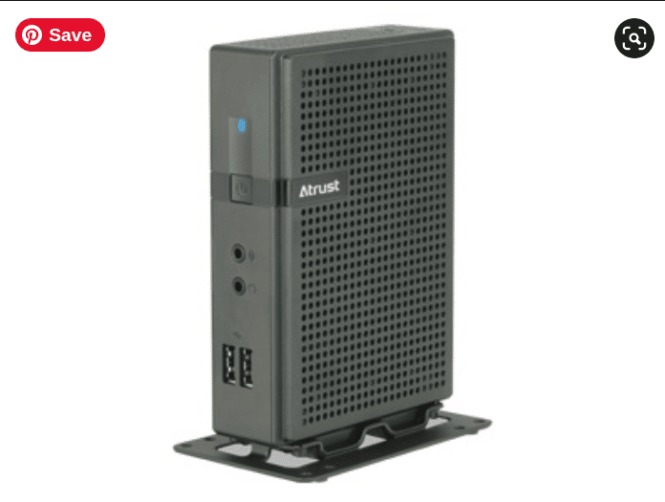
Table 1: Atrust t176W Client
Processor Intel Braswell Quad Core 1.04GHz (Turbo 2.0G)
Memory 4GB System Memory
Storage 32GB Flash Memory
Warranty 3 year warranty
Wireless WiFi 802.11 b/g/n
Operating System Custom CPCC-Provided Image – Windows 10 2019 LTSC
Other Citrix Ready Certified
Other Software Atrust Device Manager (ADM) / Atrust Client Setup License
(ACS)
FURNISH AND DELIVER
ITEM # QTY UNIT DESCRIPTION UNIT COST EXTENDED COST
1 85 Each Atrust t176W Client as specified in SECTION
3.9 TABLE 1
2 85 Each Centralized Device Management Software as
specified in SECTION 3.9 TABLE 1
3 85 Each Atrust t176 VESA Bracket – customized to fit Dell
P2319H Display
4 85 Each Atrust t176W Customized operating system
image with customer-specific applications preloaded
Total Offer Cost for Year 1 ___
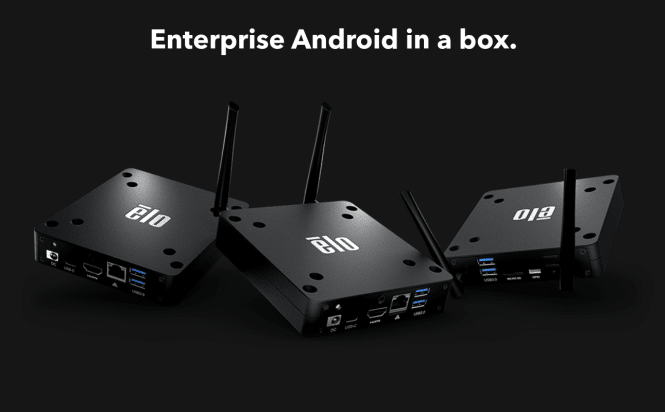
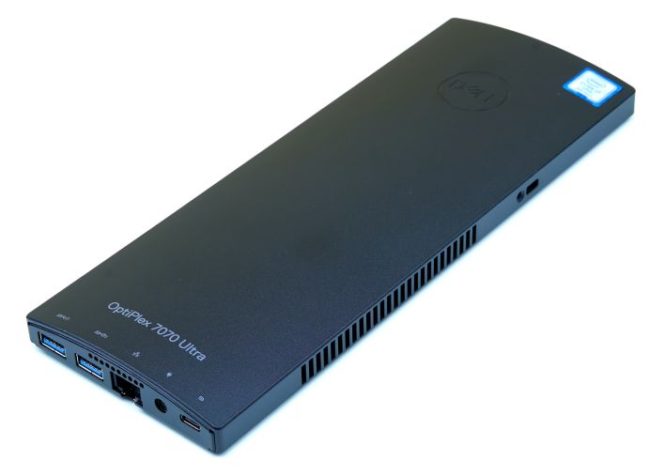
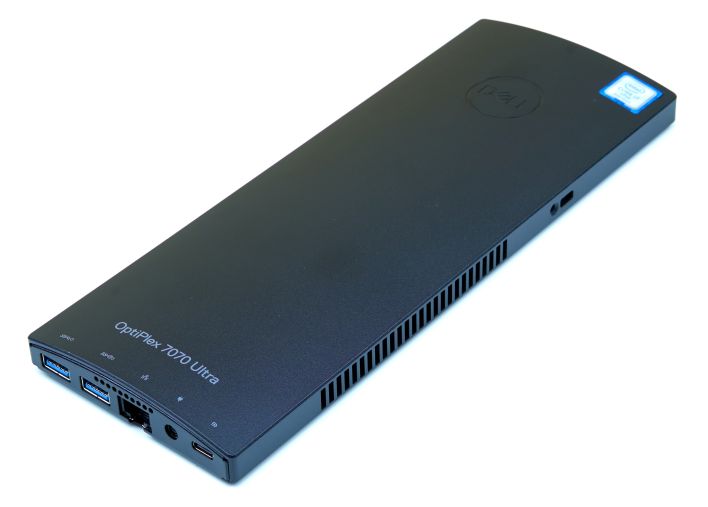
The media player is a rising star in modern computing. Displaying digital content, usually programmed by CMS, is exciting new computing segment. The original NUC from Intel helped kick things off along with Chrome boxes and players. No more is the big fat Dell Optiplex but instead a tiny media computer often embedded in the large display screen.
For best reliable US options options we recommend Elotouch and Insight-Touch.
Nice video review of Chrome Summit 2024. Corporate, then Some digital signage and then quick look at HP Engage kiosk for Burger King. Been awhile seeing HP in the kiosk space but they are fairly opportunistic. Recurring phrase for emcee was “now that applications have moved to the web…”. Google has a strong base in education for Chromebooks and that has sustained the development teams and infrastructure at Google which often rolls something out and then 3 years later rolls it back up.
Flex is literally a remix of Remix/acquisition and as far as device integration goes it suffers just like the TV-based OS Samsung uses with Tizen. Can be done for sure but it is as simple as hooking it up? Nope.
The ChromeOS 2024 event showcased several exciting updates and innovations. Here are some key highlights:
Enhanced Performance: New optimizations for better speed and efficiency, particularly on devices with ARM and Intel processors.
Improved Integration: Seamless connectivity with Android devices and better support for cross-platform applications.
Security Features: Advanced security measures, including enhanced sandboxing and more robust encryption.
User Experience: A refreshed user interface with more customization options and accessibility features.
AI Integration: Introduction of AI-powered tools for productivity and personalization.
Overall, the event emphasized Google’s commitment to making ChromeOS more versatile and user-friendly, catering to both casual users and professionals.
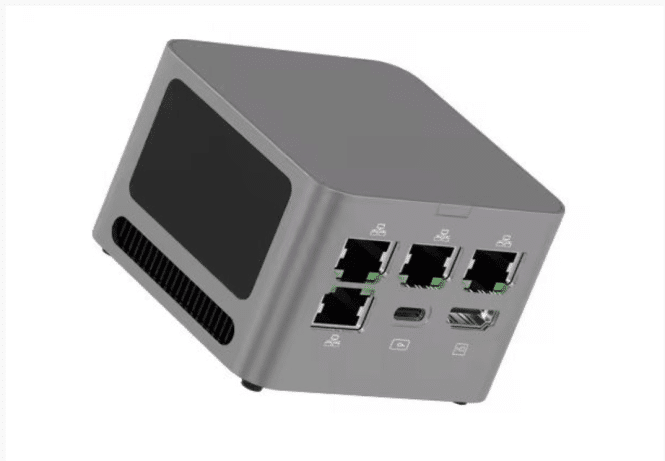
Size: The Topton M1 measures 78 x 78 x 55 mm (approximately 3.07″ x 3.07″ x 2.17″), making it extremely portable.
Performance: It is equipped with 8GB of LPDDR4x-4266 memory, which supports efficient multitasking and performance.
Design: The mini PC is designed to fit in small spaces, ideal for users looking for a powerful yet compact computing solution.
Versatility: Over the years, there has been a growing trend of tiny computers, and the Topton M1 is part of this innovative movement, catering to various computing needs.
Now Topton has introduced a new model sporting an AMD Ryzen processor. The new Topton M1 is a 78 x 78 x 55mm (3.07″ x 3.07″ x 2.17″) computer with an AMD Ryzen 3 5425U processor, 8GB of LPDDR4x-4266 memory, and an M.2 2242 slot for user-upgradeable storage. It also has a lot of ports for such a tiny computer, including four 2.5 GbE LAN ports. The Topton M1 is available from AliExpress for $180 and up.
Topton has been selling versions of the M1 with Intel processors for a few years, but the new model should bring a substantial performance boost when compared to the Intel N100 or Core i3-N305 Alder Lake-N chips often used in this sort of computer. That’s because even though the Ryzen 3 5425U was first released in 2022, it’s a 15-watt chip that was designed for entry-level laptops and mini PCs, while Intel’s Alder Lake-N chips are designed for even lower-cost, more energy-efficient applications where performance isn’t necessarily the most important metric.
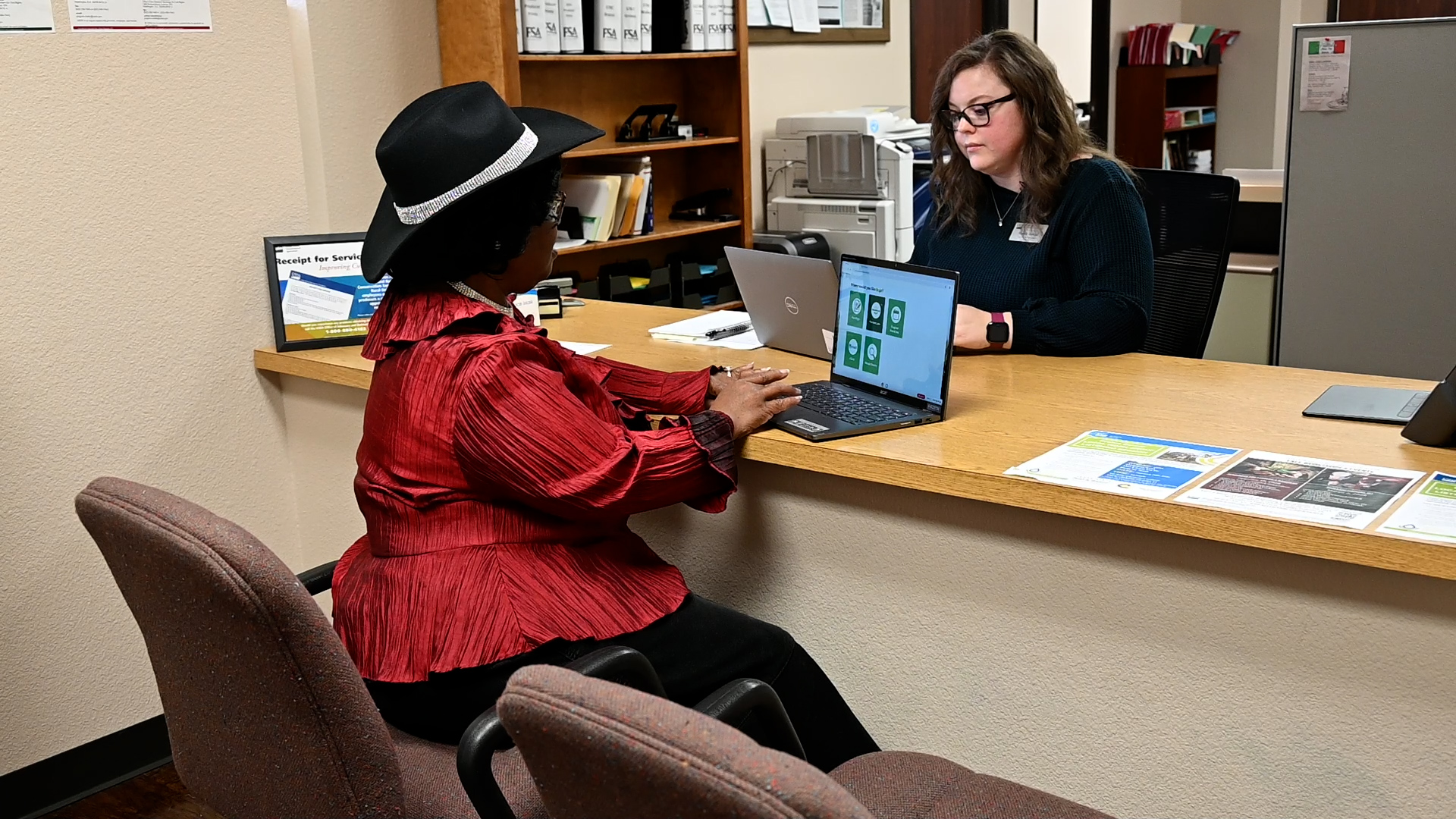
Next time you visit your local county office to conduct business with USDA’s Farm Service Agency (FSA), you can take advantage of FSA’s new touchscreen Chromebook customer kiosk designed to help you access online tools and streamline your visit through self-service options. In this Ask the Expert, FSA Special Projects Coordinator Caleb Gildea answers questions about how the new kiosks will help you complete important tasks during your next visit to your FSA county office. Caleb is a Special Projects Coordinator, leading the FSA Administrator’s Office initiatives on digital transformation and workforce engagement.
Caleb Gildea, FSA Special Projects Coordinator during the 2024 Celebration of Modern Agriculture event on the National Mall in Washington, DC.
What are the customer kiosks?
The kiosks are touchscreen Chromebooks that can be used to complete self-service tasks during your meetings with county staff. More than 5,000 kiosks have been distributed for customer use and at least one kiosk is available in every county office. FSA completed the nationwide rollout in April.
The new customer kiosks are part of FSA’s broader modernization effort to keep up with 21ˢᵗ century demands and match how many customers want to conduct business. These modernization efforts are designed to make working with FSA more efficient and equitable.
The new online tools are part of a broader effort by FSA to streamline its processes, especially for producers who may find it difficult to access a local FSA county office; modernize and improve customer service; provide additional customer self-service tools; and expand credit access to assist more producers.
How can you use the kiosks?
The kiosk can be safely and securely used during your visit to a county office to access existing online program decision tools and related FSA resources including:
Signing FSA documents;
Utilizing the Loan Assistance Tool;
Browsing USDA programs;
Checking program deadlines;
Accessing the internet;
Accessing necessary personal information such as email, bank accounts or farm records and;
Signing up for a Login.gov account, which will provide access to farmers.gov level-two features and other USDA and U.S. Government web resources.
If you do not have an appointment with FSA or the staff member you need to talk to is working with another customer and unavailable when you drop by the county office, using the kiosk will help you get started, making good use of your valuable time. For example, the kiosk enables you to consult with an FSA farm loan staff via video chat if they are in another location or not present in the office at the time of your visit.
Future enhancements to the kiosks include more self-service options:
A customer check-in feature,
Self-service for completing FSA program applications and submitting supporting documents and;
Self-service financial inquiries including most FSA program payments and access to 1099s.
A customer uses an FSA customer kiosk during a visit to her county office.
The ability to request conservation assistance and track past and current contracts;
Viewing, labeling, printing, and exporting detailed farm records and farm/tract maps for use during acreage reporting;
And more!
How is my information protected when I use a kiosk?
Your data is protected when using the kiosks through customer specific sessions that will either timeout after use or can be manually ended to delete all your personal information from the device and log you out of all accounts.
Where can I find more information?
For more information about the new customer kiosks, FSA’s modernization efforts or the programs and service FSA has to offer, visit your local county office.
Caleb Gildea is a Special Projects Coordinator with FSA. He can be reached at caleb.gildea@usda.gov.
Pretty good writeup on ZDNet of Minix miniPC. Not sure why this review benchmarks with AI tasks since it really isn’t equipped for that task. Three HDMIs are nice. Four would be nicer. Also reliability came into question in comments. Nice desktop if you use three monitors. I have two big BenQ 32s and not useful side by side. Jack Wallen writer. Here are Giada media players for comparison.
Overview
The ZDNET article highlights the Minix Neo Z97, a compact Windows mini PC that fits in your hand yet boasts the capability to support up to three 4K monitors. This device stands out for its combination of size, power, and versatility for both basic and more intensive computing needs12.
Key Features
Ultra-Compact Size: Small enough to sit in your palm, ideal for desks with limited space.
Triple 4K Display Support: Can power three 4K monitors at once, making it great for multitasking, content creation, trading, or general productivity12.
Quiet Operation: Remarkably silent—its fan remains virtually inaudible even during heavy use or Windows updates12.
Preinstalled with Windows 11: Comes ready to use out of the box with Windows 11, ensuring modern software compatibility1.
Performance: The Neo Z97 exceeded expectations for a mini PC, handling everyday tasks and multitasking smoothly. Despite its size, it is not underpowered12.
Versatility: While mini PCs are often considered for kiosks or ultra-compact workspaces, the Z97 is suitable for serving as a primary desktop for many users thanks to its triple display support and dependable performance12.
Value: Its price makes it an excellent value proposition for users who need compact power without breaking the bank12.
Buying Advice
The reviewer recommends the Minix Neo Z97 for anyone looking for an affordable, compact desktop replacement or a powerful multi-monitor setup without the bulk of a traditional tower PC12. While not meant for high-end gaming or compute-heavy tasks, it impresses for general productivity and light office or creative workloads.
In summary: The Minix Neo Z97 mini PC brings together portability, quiet operation, and sufficient power to drive triple 4K displays—making it an attractive option for space-conscious users or those looking to maximize their screen real estate at a budget price12.
Release summary: Using thin clients for high performance computing with graphics intensive applications is now a reality thanks to a combination of IGEL thin clients and Citrix HDX 3D Pro.
Reading, UK. 27th July 2015 – Using thin clients for high performance computing with graphics intensive applications is now a reality thanks to a combination of IGEL thin clients and Citrix HDX 3D Pro. Citrix has awarded both the IGEL UD5 and UD6 thin clients with Citrix HDX Premium Certification including HDX 3D Pro.
HDX 3D Pro is a set of graphics acceleration technologies designed to optimize the virtualization of rich graphics apps such as computer-aided design, manufacturing, and engineering (CAD/CAM/CAE) applications, Geographical information system (GIS) software and Picture Archiving Communication System (PACS) workstations for medical imaging.
“In the past, customers have had to keep isolated islands of PCs in their business if they were using graphics intensive applications, resulting in more costly and complicated management,” said Simon Richards, IGEL Managing Director for UK & Ireland. “This certification removes that headache. Businesses can now confidently deploy IGEL thin clients across their entire desktop estate and benefit from our fantastic centralized management and user functionality and reduced support costs. With Citrix and IGEL, they will now be able to confidently provide thin clients for workstations that require a particularly high-performance system and still benefit from a virtual, centralized and remotely managed IT infrastructure.
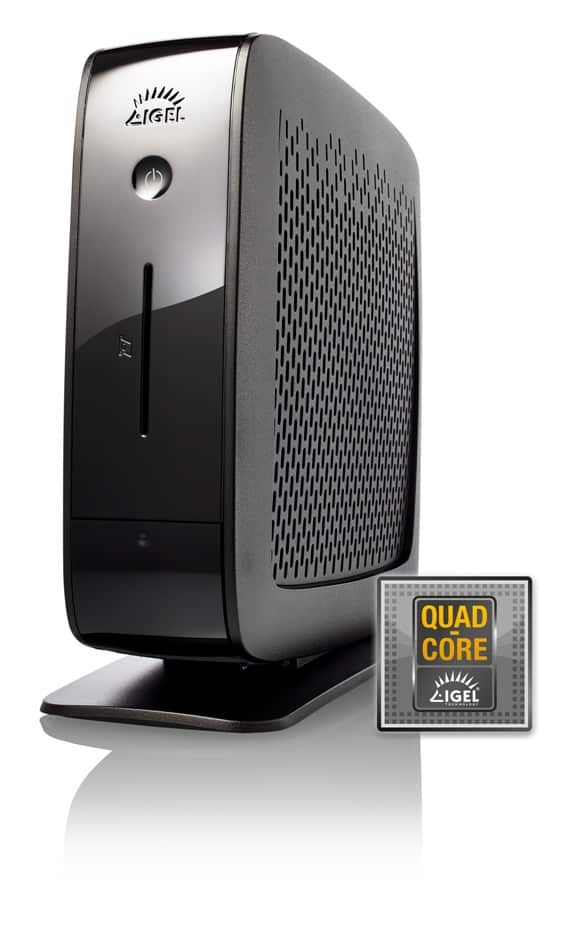
With virtualized, shared graphics resources (vGPU), industries that require particularly high levels of computing power, such as architecture, engineering, planning and design can now confidently use IGEL thin clients. With their sophisticated hardware framework, they are equipped to handle even the most demanding graphics, 3D or multimedia applications. While the IGEL UD5 with dual core processor is ideal for 2D workstations with high multimedia requirements, the IGEL UD6 with quad core CPU and 2 GB RAM is the right choice for professional 3D applications.
The combination of certified hardware and an appropriate server infrastructure opens up entirely new possibilities for the use of private cloud-based IT models, particularly in the engineering sector. Companies using CAD, for example, can now take full advantage of the benefits of central data storage, a standardized backup strategy, security and team collaboration through the online availability of all data. The HDX Engine constantly analyzes the combined use of resources, such as the computing power of the virtualized server graphics processor, the applications and end devices as well as the bandwidth. HDX automatically adjusts the quality of transmissions to ensure that users do not experience any drop in performance. IT managers can achieve optimum scaling and, depending on the vGPU profile, can allow up to eight users per graphics processor to work simultaneously.
About IGEL Technology
A world leader in thin and zero client solutions, IGEL Technology helps organizations improve the agility, efficiency, and security of their virtual desktop and application delivery systems. IGEL produces one of the industry’s widest range of hardware thin and zero clients, based on Linux and Microsoft Windows, and leads the market in software based thin clients allowing customers to access a broad spectrum of server-based infrastructures and applications. IGEL also offers powerful and intuitive management software for easy deployment and administration of thin clients throughout any size organization. Partnerships with industry leaders like Citrix, VMware, Red Hat, and Microsoft ensure that IGEL provides the most up-to-date technology and trustworthy security to clients in industries that include Healthcare, Education & Research, Public Sector, Financial, Insurance, Retail, Logistics, and Manufacturing. IGEL has offices in the United Kingdom, Australia, France, the Netherlands, Austria, Belgium, Switzerland, Sweden, the United States, Germany, Hong Kong, Shanghai, Beijing and Singapore and is represented by partners in over 50 countries worldwide. To learn more, visit www.igel.co.uk or follow us on Twitter:twitter.com/IGEL_Technology
In advance of VMworld 2019, HP is announcing HP t740 thin client, the t640 and also ThinPro PC Converter. These are new additions to its HP thin client portfolio to help businesses maximize their transition to Virtual Desktop Infrastructures (VDI) and cloud environments. HP’s versatile thin client portfolio is purpose-built with ITDMs in mind, translating to solutions that are impeccably designed, versatile, secure and easy-to-deploy and manage when effortlessly transitioning to VDI and cloud computing.
Encompassing the world’s most powerful thin client, the world’s first self-defending thin client, a redesigned manageability tool and software that enables businesses to convert legacy devices into efficient HP thin clients, these new solutions will enable businesses to expand their virtualization strategies and take charge of their vision for the cloud.
As workloads evolve with more data and graphics, it’s important IT professionals invest in future-proofing their devices with high performance, configurable solutions. The HP t740, the world’s most powerful thin client features:
Powerful performance with AMD’s Ryzen V1756B processor
Option to add an AMD Radeon graphics card boosting support from native four UHD/4K displays to six UHD/4K displays
AMD MemoryGuard technology, only available for HP thin client customers, providing real-time memory encryption to guard against cold-boot attacks.
Flash storage up to 512GB and system memory up to 32GB
Fiber Optic NIC option that offers the highest level of secure network connectivity
Expanded operating temperature range of up to 55 deg C
The HP t740 is expected to be available on September 26 starting at $651
With optimizing workplace productivity more important than ever, companies need a device allowing them to tackle hybrid local and virtual workloads with a range of subsystem options. The HP t640, the world’s first self-defending thin client, includes:
AMD MemoryGuard technology, only available for HP thin client customers, providing real-time memory encryption to guard against cold-boot attacks.
Mainstream processing and graphics power from an AMD Ryzen R1506G processor
Latest memory and flash technologies provide fast remote and local computing
Native support for three UHD/4K displays
Single cable USB-C™ power and video to reduce cable clutter
Up to 35 various subsystem options offering versatility for end users and use cases
Certification to meet EN/IEC 60601-1-2 technical standards for safety in healthcare environments
Unique airflow design that enables mounting and orientation in a variety of ways for multiple use cases and tasks
The HP t640 is expected to be available on September 16 starting at $514.
HP ThinPro PC Converter reduces businesses’ capital expenditures during transitions to VDI by allowing IT departments to repurpose legacy devices into secure, manageable HP thin client endpoints. HP ThinPro PC Converter enables:
Maximizing the value of existing devices: Increase the life of existing desktops, notebooks, and thin clients when replacing the device’s existing OS with a Linux®-based HP ThinPro. Alternatively, boot up in HP ThinPro with a USB drive to preserve the current system, ideal for companies managing bring-your-own-device environments.
Multi-layered security: Deliver secure virtualization with HP ThinPro’s embedded security features, lower virus attack rates, and a read-only locked file system to help prevent unauthorized updates.
Simplified device management: Centrally manage all devices and data through the HP Device Manager console, included with HP ThinPro PC Converter.
The HP ThinPro PC Converter with 1-year maintenance and support is available today starting at $122*
For simplified device management, HP Device Manager 5.0 is redesigned with a modern, intuitive interface and added new features to provide a more efficient management experience focusing on three areas:
Centralized management and monitoring: A simple, powerful admin tool that allows IT to remotely configure, update, and troubleshoot HP Thin Clients. Automate certain tasks with pre-built templates that use rules by folder to create configurable deployments.
Flexible and intuitive experiences: Enable IT to keep track of what’s important with a tool that sets up in minutes. Customize the interface with easy drag-and-drop support for multiple displays or use the web-based console for quick access and role-based task delegation from anywhere.
Powerful console built for scale: Operate across large enterprise deployments with support for 64-bit applications and scalable memory, performance, and reliability.
HP Device Manager 5.0 is available now and comes at no additional cost with the purchase of any HP Thin Client.
We have a virtual event you can view now here to learn more about today’s announcement. Access to detailed specs along with images can be found here. For more information on HP Thin Clients, visit here.
If you are attending VMworld, visit us at the HP booth #251.
Ping with questions!
**Purchase of maintenance and support is required. Option of 1-year support or 3-year support at added cost.
IGEL Technology Adds Support for Windows® 10 Devices to Unified Management Agent
An extension of IGEL’s industry-leading Thin Client Universal Management Suite (UMS), the software provides secure and centralized management of Microsoft® Windows 10 mobile and desktop workspaces
Reading, UK. May 26, 2016 – IGEL Technology, a world leader in the development of powerful workspace management software, software-defined thin clients, and thin and zero client solutions, today announced that the IGEL Unified Management Agent (UMA), first introduced in November 2015, now supports Microsoft Windows 10 mobile and desktop workspaces.
“Managing an organisation’s endpoints and executing software updates and patch management for notebook computers and desktop workstations can be time consuming, even for the most seasoned IT pros,” said Simon Richards, Managing Director for IGEL Technology in the UK and Ireland. “IGEL’s UMA, along with our entire suite of modern workspace management solutions, reduces the burden on IT organisations by providing them with the ability to permanently standardise the remote management of their virtual and cloud desktops, Desktop as a Service (DaaS) and Client as a Service (ClaaS) infrastructure, regardless of the desktop configuration scenario.”
IGEL UMA and the IGEL Managed Workspace
Operating as an extension of IGEL’s industry-leading UMS software, the IGEL UMA makes integrated management of virtual, cloud and desktop environments possible, providing secure and centralised remote management of thin clients, desktop computers and notebooks running Microsoft Windows 7, Microsoft Windows Embedded Standard 7, the IGEL Linux operating system, and now Windows 10.
Furthermore, with the IGEL UMA, there is no need to modify or convert an existing Windows operating system, as it can be installed directly on endpoint devices, which can then be conveniently administered by the IT organisation via the IGEL UMS.
Some of the key workspace management capabilities offered by the IGEL UMA include:
VDI session support for Citrix XenDesktop/XenApp, VMware Horizon and Microsoft Remote Desktop Protocol (RDP);
Modification and configuration of Internet Explorer, user interface and network settings, printer management and selected security and systems management functions within Windows 7 and Windows 10 operating systems;
VNC remote assistance for support and helpdesks, which is available free of charge via the IGEL UMS;
Sophisticated and secure shadowing (VNC) including logging and the group-based allocation of rights; and,
Easy configuration of Windows firewall and routing settings within the network options.
Availability and Support
A subscription to the IGEL UMA is available now through Authorized IGEL Partners in the UK and Ireland. The IGEL UMA can be installed automatically using Active Directory, manually using an executable file, or using software packaging and distribution via third-party software. For more information on pricing, contact an Authorized IGEL Partner, or e-mail info@igel.com. IGEL UMS software is available free of charge at www.myigel.com.
About IGEL Technology
A world leader in the development of powerful remote management software, software-defined thin clients, and thin and zero client solutions, IGEL Technology helps organizations improve the agility, efficiency, and security of their virtual desktop and application delivery systems.
IGEL produces one of the industry’s widest range of hardware thin and zero clients, based on Linux and Microsoft Windows, and leads the market in software based thin clients allowing customers to access a broad spectrum of server-based infrastructures and applications. IGEL also offers powerful and intuitive management software for easy deployment and administration of thin clients throughout any size organization. Partnerships with industry leaders like Citrix, VMware, Red Hat, and Microsoft ensure that IGEL provides the most up-to-date technology and trustworthy security to clients in industries that include Healthcare, Education & Research, Public Sector, Financial, Insurance, Retail, Logistics, and Manufacturing.
IGEL has offices in the United Kingdom, Australia, France, the Netherlands, Austria, Belgium, Switzerland, Sweden, the United States, Germany, Shanghai, and Beijing and is represented by partners in over 50 countries worldwide. To learn more, visitwww.igel.com
IGEL Extends Skype for Business Support to VMware Horizon Virtual Desktops
The popular business communication platform’s high-definition audio and video conferencing capabilities are now available on IGEL OSTM-powered IGEL Universal Desktop™ thin clients configured for VMware Horizon® Client 4.6
READING, UK. Dec. 7, 2017 – IGEL, a world leader in endpoint management software for the secure enterprise, today announced that it has optimised the IGEL OS, adding support for Skype® for Business to IGEL UD6 and UD9 series Universal Desktop (UD) thin clients, and IGEL UD Pocket micro thin clients configured with VMware Horizon Client 4.6.
Demand for high-definition audio and video conferencing capabilities is on the rise. According to No Jitter’s Second Annual Skype for Business Adoption Trends survey, 60 percent of organisations with 50,000 or more employees currently use Skype for Business, with 62 percent of organisations with 10,000 to 49,999 employees and 53 percent of organisations with 5,000 to 9,999 employees, leveraging the platform.
“There is no doubt that Skype for Business is increasingly popular among enterprises of all sizes,” said Ainsley Brook, UK & Ireland Country Manager for IGEL. “IGEL is committed to providing end-users with the best possible audio and video communications capabilities, regardless of which virtualisation protocols they are leveraging. By optimising the IGEL OS and adding support for Skype for Business with VMware Horizon Client 4.6, we are now able to offer our channel partners the flexibility of choice for universal communications as a part of VDI. We are also pleased to enable the high-performance communications that customers in healthcare, financial services, the public sector and other vertical markets want and expect from their VMware VDI deployments.”
“With the release of the VMware Horizon Client 4.6 with Skype for Business support, we are pleased to see IGEL leading the charge in extending support for this popular communications platform into VMware virtual desktop environments,” said Tony Huynh, Director of Product Management, VMware. “No longer must IT organisations compromise when it comes to choosing between a virtual desktop protocol and supporting the communications experience their users want and desire. With Skype for Business and VMware Horizon Client 4.6, they now can have access to a rich audio and video communications experience via their IGEL-OS powered endpoints.”
VMware is a Diamond-level sponsor for IGEL DISRUPT End User Computing Forum 2018 events taking place in EMEA, North America and Australia during the first quarter of 2018. Additionally, Brian Gammage, Chief Market Technologist, VMware will be presenting at IGEL DISRUPT EMEA taking place in Bremen, Germany from January 17-19, 2018. To register, click here https://www.eventbrite.de/e/igel-2018-disrupt-tickets-38430605977.
Availability and Support
The IGEL UD6 and UD9 thin clients and IGEL UD Pocket micro thin clients are available now in the UK through IGEL’s network of IGEL Platinum partners, Authorised IGEL Partners (AIPs) and resellers. Additionally, the IGEL OS 10.03.210 and IGEL OS 5.12.100 is available now with the Skype for Business Virtualisation Pack with VMware Horizon Client 4.6.
IGEL delivers powerful unified endpoint management software that is revolutionary in its simplicity and purpose-built for the enterprise. The company’s world-leading software products include the IGEL OS™, Universal Desktop Converter™ (UDC), IGEL Cloud Gateway™ (ICG), IGEL UD Pocket™ (UDP) and Universal Management Suite™ (UMS). These solutions enable a more secure, manageable and cost-effective endpoint management platform across nearly any x86 device. Additionally, IGEL’s German engineered and manufactured thin, zero and all-in-one client solutions deliver the industry’s best warranty (5 years), support (3 years after end of life) and management functionality. IGEL enables enterprises to precisely control all devices running IGEL OS as well as Windows OS from a single dashboard interface. IGEL has offices worldwide and is represented by partners in over 50 countries. For more information on IGEL, visit www.igel.com.
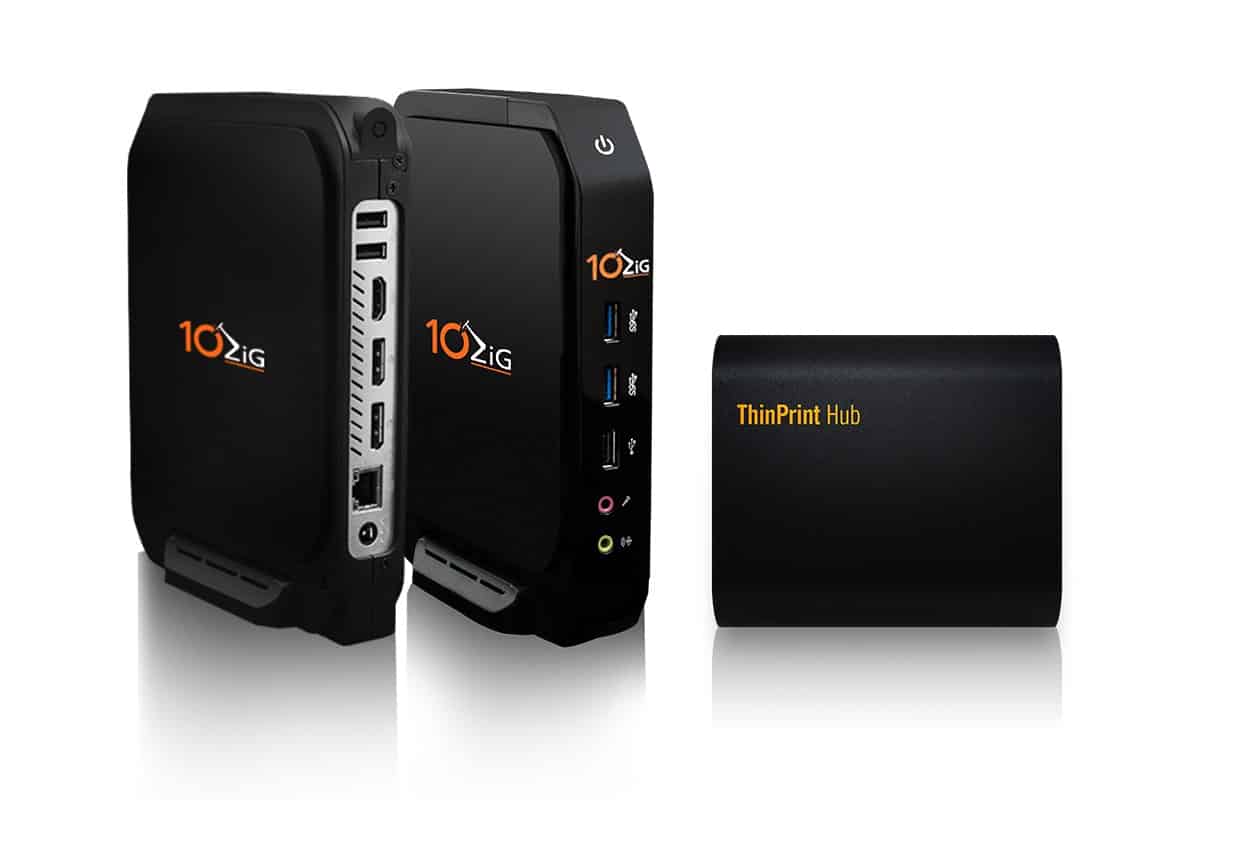
Virtual Desktop – 10ZiG and ThinPrint enter into technology partnership for high-performance printing with virtual desktops
An integrated ThinPrint Client and the ThinPrint Hub provide high-performance printing for 10ZiG Thin Clients in VDI & server-based computing environments – with or without a print server
LEICESTER, UK – 10ZiG Technology – a world leader in Thin and Zero Client endpoints for desktop virtualization, and ThinPrint, provider of the world’s leading print management software of the same name, have entered into an OEM partnership. As part of the cooperation, the ThinPrint Client has been integrated into 10ZiG Thin Clients for fast, high-performance printing. 10ZiG Zero Clients can also print plug and play securely and quickly with the ThinPrint Hub, even when using a print server.
The use of Thin Clients and Zero Clients has invaluable benefits for companies with Citrix, VMware, Parallels and Microsoft RDS environments. However, using print servers is difficult because they are often not able to send the data directly to the Thin and Zero Clients. Thanks to the integration of the ThinPrint Client, 10ZiG Thin Clients can now – even when using a print server – use ThinPrint functions for print data compression, tracking, and encryption. With the ThinPrint Hub’s plug and play capability, fast and secure zero-client printing to network printers is guaranteed. Print data can be transmitted compressed to the printer via a separate, encrypted secure tunnel. The management of the print infrastructure takes place centrally in a console.
“We are delighted to have renowned VDI endpoint manufacturer 10ZiG on board,” said Thorsten Hesse, CPO of ThinPrint GmbH. “10ZiG devices are an excellent fit with our philosophy of making productive work as easy and convenient as possible for IT admins and users. 10ZiG Thin and Zero Clients, as well as the ThinPrint Hub, can be started up with plug and play even by laypeople and then remotely managed by the experts in a convenient, centralized console. This opens up enormous optimization and savings potential.”
“Printing is still part of our customers’ daily work. This partnership with ThinPrint enables our customers to make both their network and their printing infrastructure efficient, high-performance, and cost-effective, leading to an even more complete end-to-end VDI solution” said Kevin Greenway, CTO of 10ZiG Technology.
About 10ZiG Technology®
10ZiG Technology is a world-market leader in Thin Client & Zero Client endpoint devices for Virtual Desktop Infrastructure. 10ZiG provides leading Intel and AMD based Dual and Quad Core Thin Clients and Zero Clients for Citrix (HDX, HDX Premium, HDX 3D Pro), VMware PCoIP & Blast Extreme, and Microsoft environments, as well as the widest range of Teradici PCoIP Zero Clients on the market. 10ZiG offers free, no-obligation demo devices, Technical Support teams based in the U.S. and U.K., and provides “The 10ZiG Manager” endpoint management console with cloud capabilities completely free with unlimited user licenses supported. Get a free evaluation device today at www.10ZiG.com.
About ThinPrint
ThinPrint, with nearly 20 years of continuous development and internationally patented ThinPrint technology, is the leading provider of print management software and services for businesses. Whether printing from traditional PCs, mobile devices, thin clients, virtual desktops, or from the cloud, over 25,000 companies across all industries and of all sizes optimize their printing infrastructure and increase productivity thanks to ThinPrint. In addition, more than 100, and growing, Desktop-as-a-Service, and Software-as-a-Service providers deliver reliable, high-performance printing from the cloud to their customers all due to ThinPrint. The investment in ThinPrint leads to a fast ROI because the easy-to-implement and manage print system reduces the burden on IT departments, results in significant performance improvements to the network while ensuring optimal, reliable print support at every workplace. ThinPrint technologies and components enable its use in almost any infrastructure and consider integration of branch and home offices as well as mobile employees. The solutions are developed and rigorously tested at ThinPrint’s headquarters in Berlin – software Made in Germany. Offices in the United States, the UK, Australia, Japan and Brazil, as well as more than 350 channel partners around the world offer direct and on-site customer care. Thanks to numerous OEM partnerships, ThinPrint technology components are integrated in a variety of terminals, print boxes and thin client of leading hardware manufacturers. Special significance is placed on the strategic partnerships of the company with Citrix Systems, Fujitsu, Fuji Xerox, Hewlett-Packard, Konica Minolta, Kyocera Mita, Lexmark, Microsoft, OKI, Samsung and VMware.
###
Contact Us
To learn more about cutting-edge VDI technology from 10ZiG, or to arrange for a FREE Thin or Zero Client demonstration device, please contact 10ZiG below.
From PRNewswire August 2020 — The $469M market is predicted by these people to reach $633 by 2027. Not a big fan of Research and Markets research market reports judging from some of the other reports they have done. A lot of internet scraping I think.
I think it is worth noting that the thin client market is very diverse. Historically we have been stuck on Windows clients but these days we have ChromeOS, Android, much more linux and Raspberry PI.
If you look at the Cloud Computing, Azure, AWS, Rackspace, Cloudflare for that matter, it is growing exponentially. And two of the biggest variables in all that is security and privacy.
Still, as a “point in time” baseline from internet scraper we have these numbers.
Amid the COVID-19 crisis, the global market for Industrial Thin-client Platform estimated at US$469.3 Million in the year 2020, is projected to reach a revised size of US$633.3 Million by 2027, growing at a CAGR of 4.4% over the analysis period 2020-2027. Hardware, one of the segments analyzed in the report, is projected to record a 4.3% CAGR and reach US$299.2 Million by the end of the analysis period. After an early analysis of the business implications of the pandemic and its induced economic crisis, growth in the Software segment is readjusted to a revised 4.8% CAGR for the next 7-year period.
The Industrial Thin-client Platform market in the U.S. is estimated at US$138.2 Million in the year 2020. China, the world`s second largest economy, is forecast to reach a projected market size of US$112.2 Million by the year 2027 trailing a CAGR of 4.1% over the analysis period 2020 to 2027. Among the other noteworthy geographic markets are Japan and Canada, each forecast to grow at 4.3% and 3.4% respectively over the 2020-2027 period. Within Europe, Germany is forecast to grow at approximately 3.6% CAGR.
In the global Services segment, USA, Canada, Japan, China and Europe will drive the 4.1% CAGR estimated for this segment. These regional markets accounting for a combined market size of US$89.6 Million in the year 2020 will reach a projected size of US$119 Million by the close of the analysis period. China will remain among the fastest growing in this cluster of regional markets. Led by countries such as Australia, India, and South Korea, the market in Asia-Pacific is forecast to reach US$72.7 Million by the year 2027.We bring years of research experience to this 6th edition of our report. The 163-page report presents concise insights into how the pandemic has impacted production and the buy side for 2020 and 2021. A short-term phased recovery by key geography is also addressed.
Competitors identified in this market include, among others:
The district is currently accepting proposals from vendors for the following model:
o Chromebook: Acer C-733T
The district may also purchase smaller quantities of Chromebook devices between May 1, 2021, and May 1, 2022.
The District requires delivery within 30 days of receipt for additional purchase orders to our warehouse at 363 N. Woods Mill Rd, Chesterfield, MO 63017.
Quantities are estimates and are listed as guidance in estimating volume pricing. The District does not guarantee any quantities that it will purchase as a result of this invitation for bid. Parkway is currently seeking a one-year agreement
MANDATORY REQUIREMENTS
Professional Services Requirements:
A. Setup Services
o Quantity: 7500
o Description: Setup services including domain registration. Many resellers provide “white glove” services that include registering the Chromebooks in our G-Suite domain. This increases the ease and efficiency of deploying the devices. Parkway is looking for domain registration for all devices purchased, as well as the option for asset tagging.
Description: Academic Google Chrome OS Management License and Support for 5 years for GAFE
Domain: parkwayschools.net
C. Optional Requirements:
Professional Services Requirements: N/A
Hardware/Software/Licensing Requirements: Accidental/Extended Warranties – Please include a detailed description of warranty coverage, claim or repair process, average repair times, and any associated costs (including shipping). ∙ 3-year cost ∙ 4-year cost
SB-3 TIMETABLE:
Bid Publish Date 11/23/2020
Bid Close Date 12/14/2020 11:00 AM CST
Bid Questions Due by Date: 12/8/2020 By end of business day
Bid Questions Responses by: 12/11/2020 By end of business day
Location of Bid Opening: Online via Google Meets Bid Opening Link: meet.google.com/bdc-idzm-xzc
If interested contact Craig at catareno.com
Since 1999, Thinclient.org has been reporting the thin client computing market as well as the ChromeBook, Zero Client, Android clients, Pi Raspberry Clients and Thick Client market. Generally the cloud computing market since it started with companies such as Citrix back in the late 80s.
A thin client is a lightweight[vague]computer that has been optimized for establishing a remote connection with a server-based computing environment. The server does most of the work, which can include launching software programs, performing calculations, and storing data. This contrasts with a fat client or a conventional personal computer; the former is also intended for working in a client–server model but has significant local processing power, while the latter aims to perform its function mostly locally.
Thin client hardware generally supports a keyboard, mouse, monitor, jacks for sound peripherals, and open ports for USB devices (e.g., printer, flash drive, webcam). Some thin clients include legacy serial or parallel ports to support older devices such as receipt printers, scales or time clocks. Thin client software typically consists of a graphical user interface (GUI), cloud access agents (e.g., RDP, ICA, PCoIP), a local web browser, terminal emulators (in some cases), and a basic set of local utilities.
New hardware interfaces includes socket-based enabled devices eliminating the need for a physical USB connection. Bluetooth wireless connectivity is also a big factor for devices.
At its core, Hybrid Client is a combination of Software-as-a-Service (SaaS) and hardware. It starts with the Dell systems like its OptiPlex 7070 Ultra platform or Wyse 5070 thin clients, running a highly-customized Ubuntu 18.04 Long Term Support (LTS)-based operating system. However, Dell representatives also told us that basically any Dell system that runs Linux is a good candidate for Hybrid Client, including sleek notebooks like the XPS 13 Developer Edition. Since these systems arrive ready to deploy, this distro should also keep deployment costs down.
Since 1999, Thinclient.org has been reporting the thin client computing market as well as the ChromeBook, Zero Client, Android clients, Pi Raspberry Clients and Thick Client market. Generally the cloud computing market since it started with companies such as Citrix back in the late 80s.
A thin client is a lightweight[vague]computer that has been optimized for establishing a remote connection with a server-based computing environment. The server does most of the work, which can include launching software programs, performing calculations, and storing data. This contrasts with a fat client or a conventional personal computer; the former is also intended for working in a client–server model but has significant local processing power, while the latter aims to perform its function mostly locally.
Thin client hardware generally supports a keyboard, mouse, monitor, jacks for sound peripherals, and open ports for USB devices (e.g., printer, flash drive, webcam). Some thin clients include legacy serial or parallel ports to support older devices such as receipt printers, scales or time clocks. Thin client software typically consists of a graphical user interface (GUI), cloud access agents (e.g., RDP, ICA, PCoIP), a local web browser, terminal emulators (in some cases), and a basic set of local utilities.
New hardware interfaces includes socket-based enabled devices eliminating the need for a physical USB connection. Bluetooth wireless connectivity is also a big factor for devices.
Citrix Acquires Unicorn and More Thin Client Media Player News
Several notable developments have emerged this month in the realms of thin client computing, media players, and mini-PCs:
Thin Client Computing
Citrix Acquires Unicon: Citrix Systems has acquired Unicon GmbH, a thin client provider specializing in hybrid client software. This acquisition aims to strengthen Citrix’s endpoint management and security offerings. The move will allow Citrix to provide customers with secure client OS and endpoint management solutions, improving security, resiliency, and operational costs.
AWS Upgrades WorkSpaces: Amazon Web Services has introduced new workstation-grade cloud desktop options, including 32-vCPU instances. These high-powered options are recommended for the best experience with video conferencing applications
Media Players
VLC Introduces AI-Powered Subtitles: At CES 2025, VideoLAN showcased a groundbreaking AI-driven automatic subtitle generation and translation feature for VLC Media PlayerThis offline feature supports over 100 languages and operates entirely on the user’s device, enhancing privacy and accessibility.
Mini-PCs
Lenovo Launches Snapdragon X Mini-PCs: Lenovo has announced the world’s first mini-PCs featuring Snapdragon X chips: the IdeaCentre Mini X and ThinkCentre Neo 50q. These AI-capable devices can output 45 TOPS and are set to release in April 2025
Geekom QS1 Announced: Geekom has revealed plans for the QS1, which will be the world’s first Snapdragon X Elite-powered mini PC running Windows 11 Pro
HP Z2 Mini G1a: HP has introduced the Z2 Mini G1a, a powerful mini PC designed for demanding workflows. It features an AMD Ryzen AI Max Pro Series processor capable of up to 50 NPU TOPS and is expected to launch in Spring 2025
MSI Returns to Mini-PCs: MSI has re-entered the mini-PC market with the Cubi NUC AI+ 2M, featuring a Copilot button and Intel Core Ultra 258V processor. This device meets the requirements for a Copilot+ PC and can reach up to 115 NPU TOPS
Gigabyte Unveils New BRIX Series: Gigabyte has introduced three new BRIX Mini PC series at CES 2025: Mainstream, Small Core, and Extreme. The Mainstream series features Intel 15th Gen Arrow Lake processors with NPUs for AI capabilities
These developments highlight the growing trend of AI integration in compact computing devices and the continued evolution of thin client solutions to meet the demands of modern workplaces and consumers.
Citrix Acquires Unicorn — Citrix Systems Inc. has acquired Unicon GmbH, a thin client provider, to enhance its endpoint management and security offerings. Unicon, based in Karlsruhe, Germany, specializes in hybrid client software, including the eLux endpoint operating system and the Scout enterprise platform1. These solutions help organizations scale, manage, and secure their endpoints while streamlining IT operations and budgets. The acquisition aims to provide Citrix customers with improved endpoint security, resiliency, and operational cost savings
Lenovo Mini-PC Deal — deal on the Lenovo ThinkCentre M90q mini PC, which is currently available for $1,086, down from its estimated value of $2,129. The mini PC is designed for users with limited workspace and features a 14th-generation Intel Core i7-14700vPro CPU, 16GB of DDR5 RAM, and 256GB of SSD storage. It comes with a basic USB mouse and keyboard and supports up to four displays. The article highlights the benefits of the mini PC, including its compact size and versatility, making it ideal for multitasking needs
Chinese mini-PC with most powerful Ryzen — GMK, a Chinese brand in the mini PC market, has announced the upcoming launch of a new product powered by the AMD Ryzen AI Max+ 395. This mini PC is claimed to be the world’s first featuring the Ryzen AI Max+ 395 chip, which boasts 16 Zen 5 cores, 32 threads, and a 5.1 GHz peak clock speed. The processor also integrates 40 RDNA 3.5 compute units, delivering solid graphics performance via the Radeon 8060S iGPU. The device is part of GMK’s “ALL IN AI” strategy and is expected to debut in the first or second quarter of 2025
Free Media Player for Windows — Clapper 0.8, a free and open-source media player, has been released with new features and support for Windows. The update includes plugins for additional functionalities, media caching, and a revamped user interface
We have used PROVISIO Sitekiosk for over 15 years and we recommend it for sandbox lockdown for all versions of Windows (including Terminal Server clients) as well as Android.
Lockdown browser & kiosk software for safeguarding public access Internet-PCs, Displays and Tablets. Protects the browser and operating system against manipulations.
Now featuring IE & Chrome browser engine, and Windows 10 support!
Visit PROVISIO for more information on thin client iterations for Windows, Chrome, and Android
Since 1999, Thinclient.org has been reporting the thin client computing market as well as the ChromeBook, Zero Client, Android clients, Pi Raspberry Clients and Thick Client market. Generally the cloud computing market since it started with companies such as Citrix back in the late 80s.
A thin client is a lightweight[vague]computer that has been optimized for establishing a remote connection with a server-based computing environment. The server does most of the work, which can include launching software programs, performing calculations, and storing data. This contrasts with a fat client or a conventional personal computer; the former is also intended for working in a client–server model but has significant local processing power, while the latter aims to perform its function mostly locally.
Thin client hardware generally supports a keyboard, mouse, monitor, jacks for sound peripherals, and open ports for USB devices (e.g., printer, flash drive, webcam). Some thin clients include legacy serial or parallel ports to support older devices such as receipt printers, scales or time clocks. Thin client software typically consists of a graphical user interface (GUI), cloud access agents (e.g., RDP, ICA, PCoIP), a local web browser, terminal emulators (in some cases), and a basic set of local utilities.
New hardware interfaces include socket-based enabled devices eliminating the need for a physical USB connection. Bluetooth wireless connectivity is also a big factor for devices.
The proliferation and diversity of communication technologies, media and devices, combined with the popularity of remote working have created a technical nigh… (67% of organizations have seen large cost savings since embracing #BYOD
67% of organizations have seen large cost savings since embracing #BYOD
BYOD (Bring Your Own Device) thin clients remain a growing trend in 2025, although their popularity is nuanced and often overlaps with broader thin client and BYOD adoption rather than being a distinct, stand-alone category.
BYOD Thin Client Adoption in 2025
Organizations in 2025 increasingly support BYOD programs, with 82% reportedly running some form of BYOD initiative.
The BYOD market, which includes both traditional device usage and thin client access, is projected to hit $132.22 billion in 2025, showing continued strong demand.
Thin clients are especially beneficial for distributed workforces and organizations implementing BYOD policies, offering secure, centrally managed, and scalable remote access to corporate resources.
Industry Trends and Use Cases
The rise of cloud computing and virtual desktop infrastructure (VDI) accelerates BYOD thin client adoption, as users commonly connect to organizational resources through thin client software, browsers, or remote desktop apps.
Some modern thin client solutions, such as USB-bootable secure OSes, specifically enable BYOD scenarios — turning personal laptops or older PCs into managed, secure thin clients without leaving corporate data on the device.
Sectors with strong security requirements, including banking, healthcare, and education, are notable adopters due to the centralized security and cost-efficiency thin clients provide in a BYOD environment.
Market Limitations and Mixed Trends
While BYOD itself is robust, many organizations blend traditional and BYOD thin client deployments, and a significant number are reassessing BYOD versus corporate-owned device strategies for 2025.
Challenges persist in management, security, and user support for BYOD thin clients, though technical advancements continue to mitigate these issues.
In summary, BYOD thin clients are popular as part of a larger movement toward flexible device policies and cloud-driven work, especially in sectors prioritizing centralized management and security. However, most implementations occur within broader BYOD or thin client strategies, rather than a sharp shift solely to BYOD thin clients.